
Intuit recently rolled out some enhancements to QuickBooks Desktop Pro-plus, Premier-plus and Enterprise Solutions as part of a December 2025 release update (R18_45_1)*. Let's look at them...
1099 Changes for Tax-year 2025
The IRS has changed 1099 reporting requirements related to "Excess Golden Parachutes." For tax-year 2024, Excess Golden Parachute amounts were reported in Box 14 of IRS 1099-MISC forms. For tax-year 2025, Excess Golden Parachute amounts must be reported in Box 3 of IRS Form 1099-NEC.
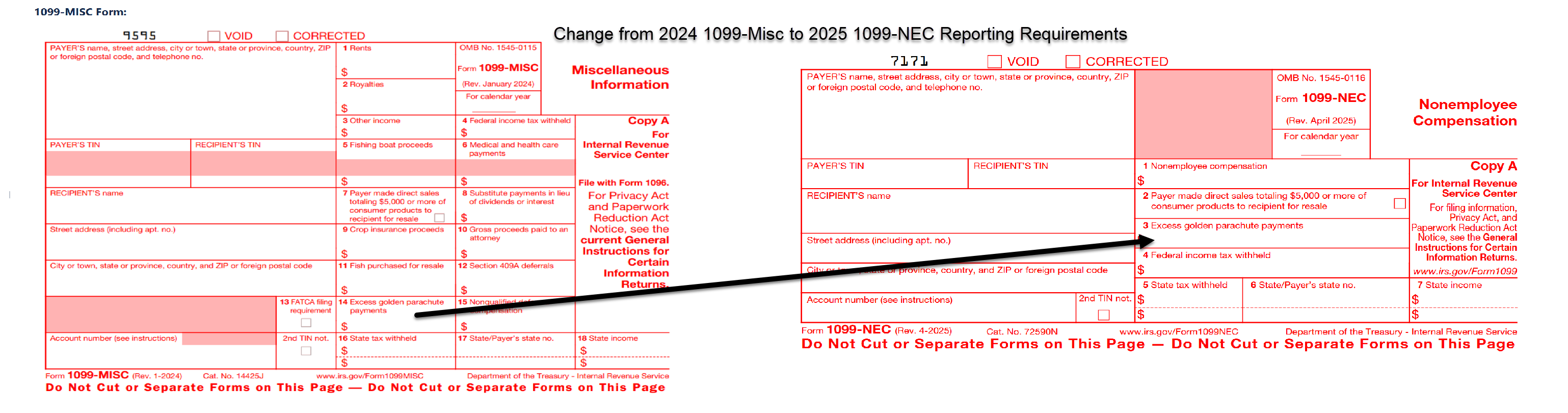
The most recent release update to QuickBooks Desktop makes this required change to reporting functional for the 2025 1099 reporting.
Fixed Asset Manager 2025 Support Update
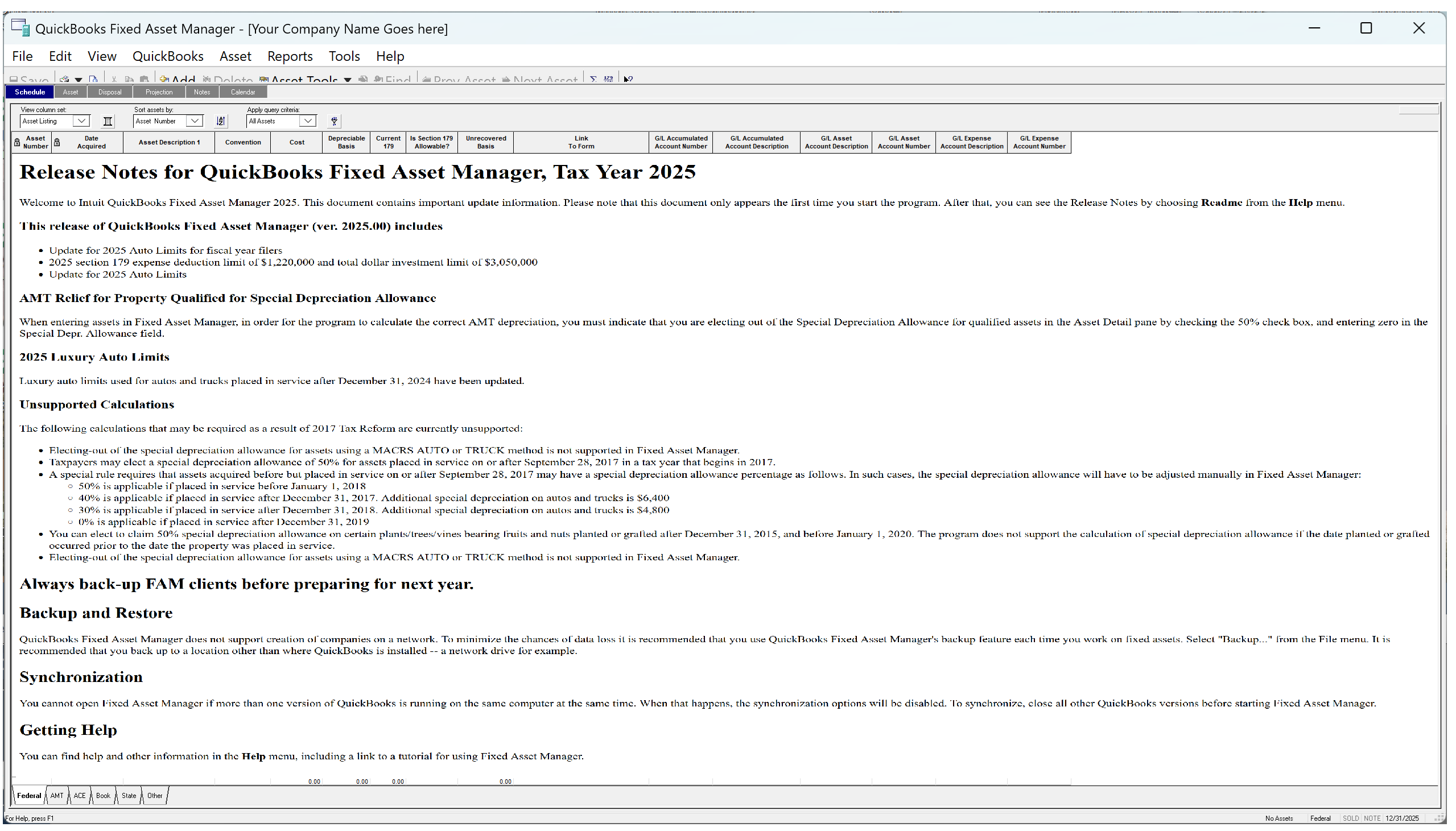
As part of the recent release update (R18_45_1) to QuickBooks Desktop, Intuit has added support to the QuickBooks Fixed Asset Manager for Tax-year 2025 compliance with IRS regulations regarding fixed assets.
Invoice Template - Vendor Display
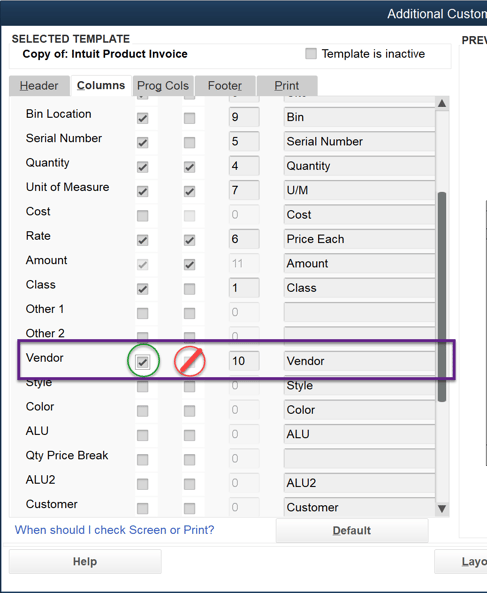
The recent release update made an internal-view only enhancement to the standard Invoice template that incorporates vendor information for associated items. The purpose is to provide better visibility for those individuals who generate the invoice without necessarily providing that information to customers.

- Quickly and easily associate each item you are selling/invoice to your customer with the vendor(s) from whom each item was acquired.
- Safeguards your supply chain relationships by maintaining the confidentiality of your vendors.
- Allows you to identify the exact vendor who provided the product when you have multiple sources that may have contributed to your inventory.
Conveniently modify the Invoice template to remove the Vendor field from the specific template you configure.
Marking Estimates Inactive
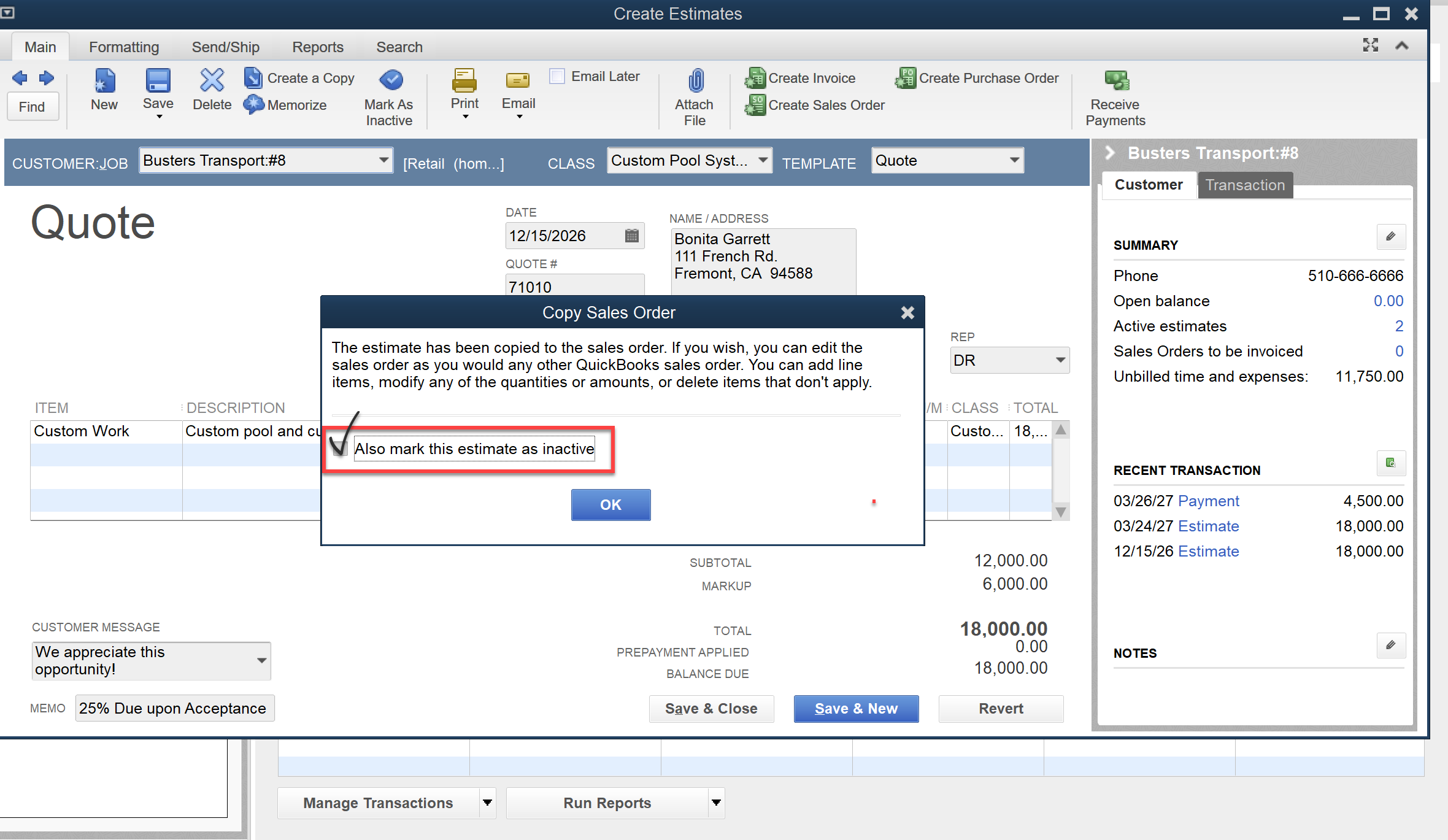
After many years of QuickBooks users requesting a way to prevent having to manually go back and mark Estimates as Inactive, Intuit rolled out an enhancement that marks Estimates used to create Sales Orders as 'Inactive' as part of the the process of creating the S.O. To use this feature follow these steps if you have previously provided an estimate to a customer, and you need to create a sales order for the estimate and mark the estimate as 'inactive' simultaneously.
- Search for and open the correct estimate.
- Select Create Sales Order.
- Select the Also mark this estimate as inactive checkbox (as shown below), if you want to make the estimate inactive.
- When the sales order appears, edit the information as needed.
- Select Save & Close.
New Shipping Manager
We previously told you that the new Shipping Manager experience within QuickBooks Desktop would begin as of December 7, 2025. The "old Shipping Manager" is no longer available to QuickBooks Desktop users, and to use the Shipping Manager feature within Desktop you must switch to the "New Shipping Manager" feature. For more details, read our article at the URL above.
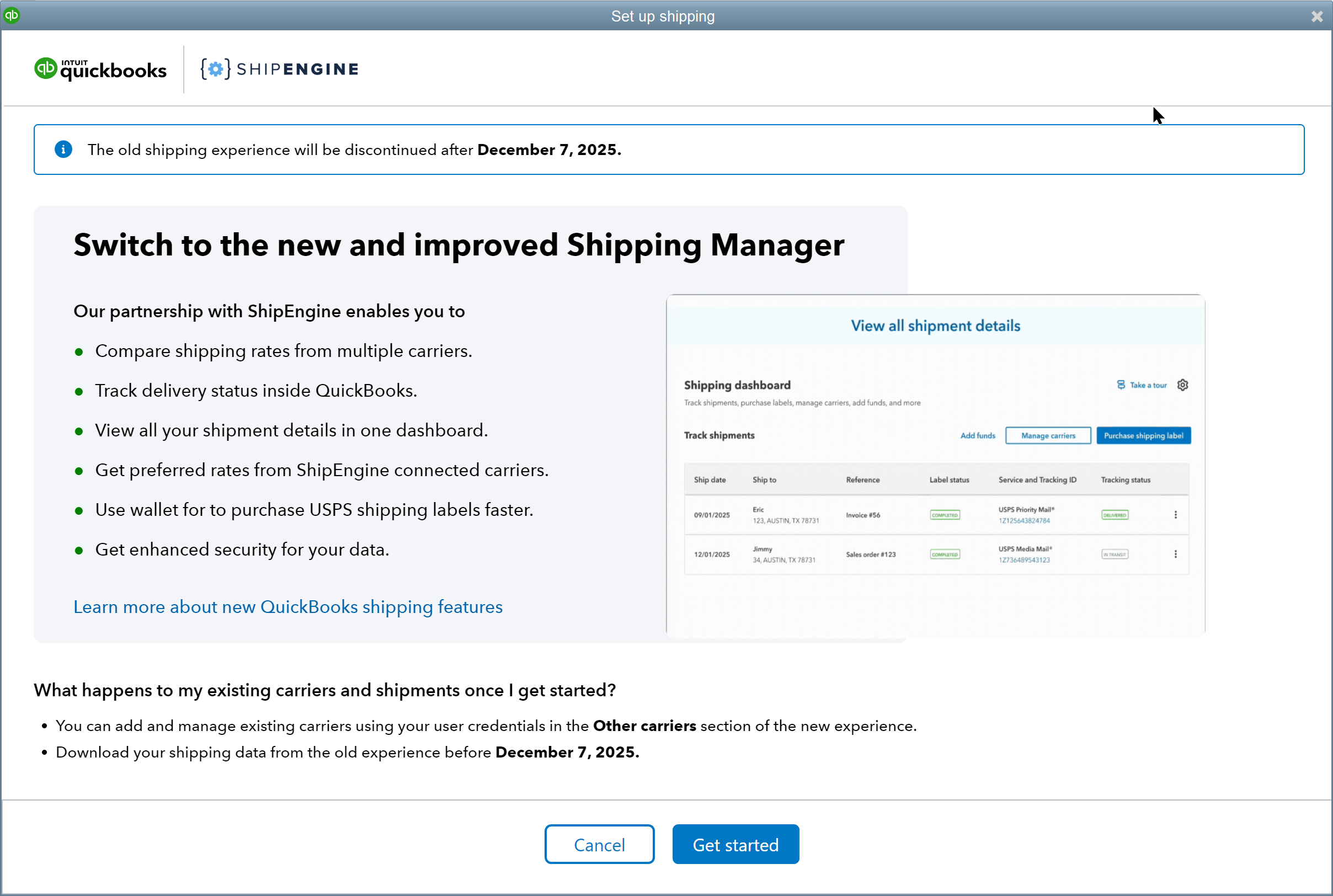
If the New Shipping Manager doesn't show up inside your Desktop version you need to make certain that you are on the latest release update (R18_45_1, or higher) and that you are on a supported version of QuickBooks Desktop.
Virginia Mandatory Job Title
"Yes Virginia, there really is a Santa Claus"1 Just in time for the holidays, well, the end of the tax year actually, Intuit has created an update specific to the State of Virginia (VA). The "Job Title" field in the Employee Profile is now mandatory when employees are subject to Virginia payroll taxes.
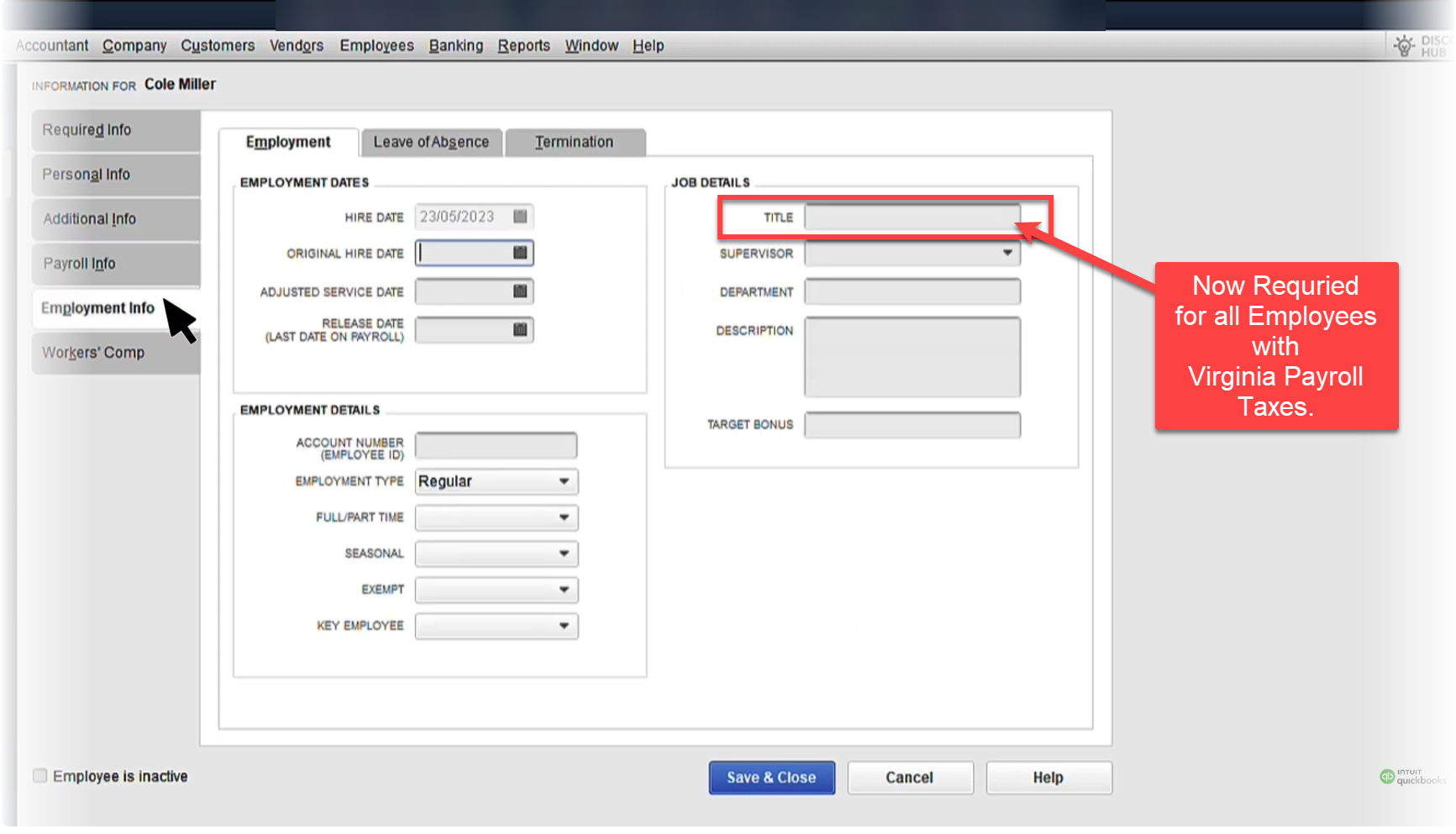
Payroll managers will be required to provide a Job Title before QuickBooks will allow them to 'save' or 'update' the Employee Profile of any Employee subject to these provisions.
Is Now the Time to Update?
Some feature updates discussed in this article will be required for purposes of tax-year 2025 reporting or compliance. Some features maybe required to perform necessary functions within your Desktop Product. And, some products maybe required for you to maintain compliance with federal, state or local taxes or payroll tax requirements.
If none of the above circumstances apply to you, or if you aren't really interested in these specific features, you may not need this update right away. Of course, if QuickBooks downloads the update, you are going to have to decide to update pretty quickly since you will only have a limited number of log-in opportunities before QuickBooks makes you accept and install the update.
If you go ahead and install the update, let us know what you think by posting your experience(s) in the comments section (below) to this article.
Footnotes:
* - Release identification is the earliest such release containing the updates outlined here, such updates may also be contained in whole, or in part, in either earlier or later releases as determined by Intuit, and number accordingly depending on the support QuickBooks Desktop product(s).
1 - "Yes Virginia, there really is a Santa Claus." This is a line from an editorial by Francis Pharcellus Church written in response to a letter by eight-year-old Virginia O'Hanlon asking whether Santa Claus was real, the editorial was firs published in the New York newspaper, The Sun, on September 21, 1897.
Disclosures:
Content (including graphics) based on Intuit media source including in-product 'Help' and actual QuickBooks Desktop 'screen captures', along with formal technical support release notes. Intuit content adapted by Insightful Accountant from Intuit sources is furnished for educational purposes only.
As used herein, Intuit, QuickBooks Desktop products (Pro-plus, Premier-plus and QuickBooks Enterprise Solutions) refer to one or more registered trademarks of Intuit® Inc., a publicly-traded corporation headquartered in Mountain View, California.
Note: Some information outlines Intuit's general product direction, and represents no obligation, not should not be relied on, when making purchasing decisions. Be award that additional terms, conditions and fees may apply with certain features and functionality reported herein. In some cases, user eligibility criteria may apply. Product offers, features, and functionality are subject to change without notice, and subject to Intuit Terms & Conditions, not necessarily addressed herein.
Any other trade names or references used herein may refer to registered, trademarked, or copyrighted materials held by their respective owners; they are included in the content for informational and educational purposes only.
This is an editorial feature, not sponsored content. No vendor associated with this article has paid Insightful Accountant or the author any form of remuneration to be included within this feature. The article is provided solely for informational and educational purposes and Insightful Accountant based upon information made available by Intuit and used in preparation of this content.
Note: Registered Trademark ® and other registration symbols (such as those used for copyrighted materials) have been eliminated from the articles within this publication for brevity due to the frequency or abundance with which they would otherwise appear or be repeated. Every attempt is made to credit such trademarks or copyrights within our respective article footnotes and disclosures.