
App Aware is one of Insightful Accountant's most popular features for both our readers and contributing developers because the articles summarize an App or Software for integration with one or more accounting platforms. Today, Murph seeks to make you 'App Aware' of RemitClear.
RemitClear helps businesses and bookkeeping practices apply incoming customer payments in QuickBooks Online and Xero. A payment email or check stub may identify several invoices covered by one payment. RemitClear reads that information, finds the corresponding open invoices and prepares allocations for review. Users can inspect the original document, resolve exceptions and record the payments in their accounting system. It's designed for teams receiving payment details in PDFs, spreadsheets or emails who want to reduce repeated data entry while keeping the supporting document available.
Key Benefits of the App
-
- Read payment details from uploaded files or forwarded emails.
-
- Extract invoice references, amounts and payer details without designing document templates.
-
- Compare extracted lines with open invoices in the connected ledger.
-
- Review proposed allocations beside the original document and adjust them.
-
- Record payments across multiple invoices, grouped by customer in QuickBooks Online.
-
- Retain source documents and links to recorded transactions for follow-up checks.
How the App Works
Connect a QuickBooks Online company or Xero organization, then upload a remittance or forward a payment email to the assigned RemitClear address.
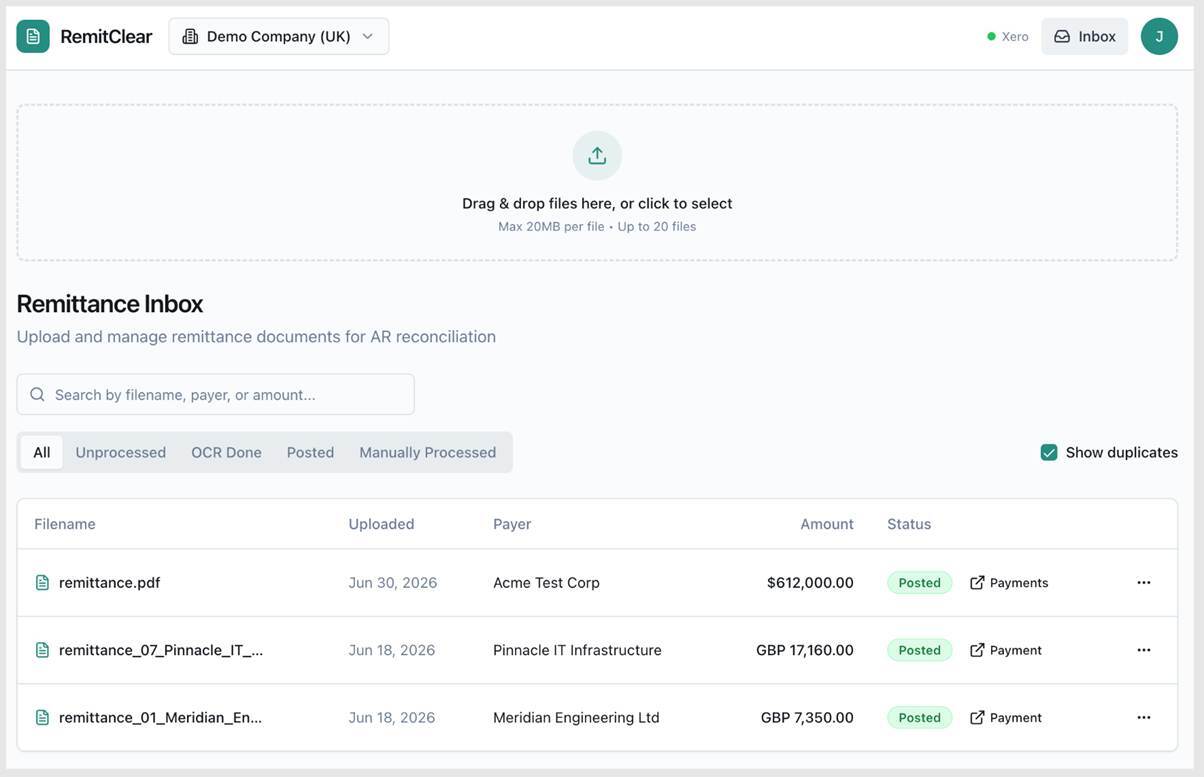
The software reads the document and compares invoice references and amounts with open ledger items. The review screen brings the source document and proposed allocations together
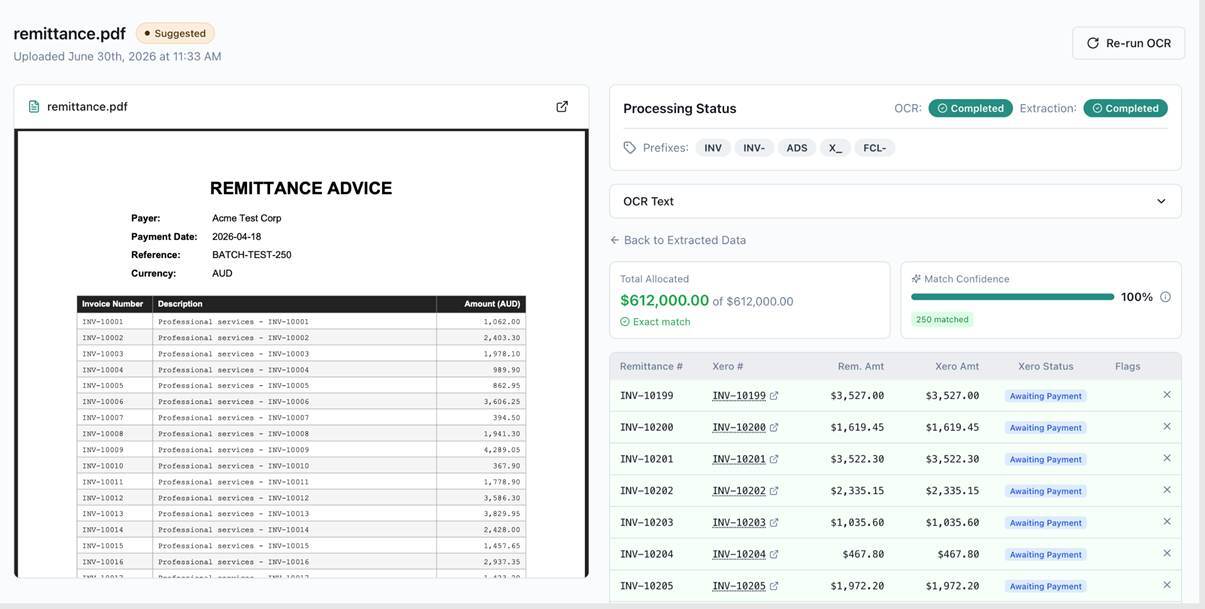
Staff can correct amounts, resolve unmatched lines and check the allocation total before recording payments. The resulting ledger records remain linked to the remittance. Automatic posting is a separate setting that users can enable for qualifying matches; exceptions remain available for review.
Accounting Application Integration
QuickBooks
RemitClear Integrates with the U.S. versions of QuickBooks Online Simple Start, QuickBooks Online Essentials, QuickBooks Online Plus, and QuickBooks Online Advanced.
RemitClear connects to the user's QuickBooks Online company, reads open invoices and customer records, and matches them with the invoice details on a remittance. Approved allocations become Receive Payment records, one per customer. A document covering several customer accounts can therefore produce several payments. The original document can be attached to the payment and matched invoices. Staff can review short payments and existing credit memos before posting.
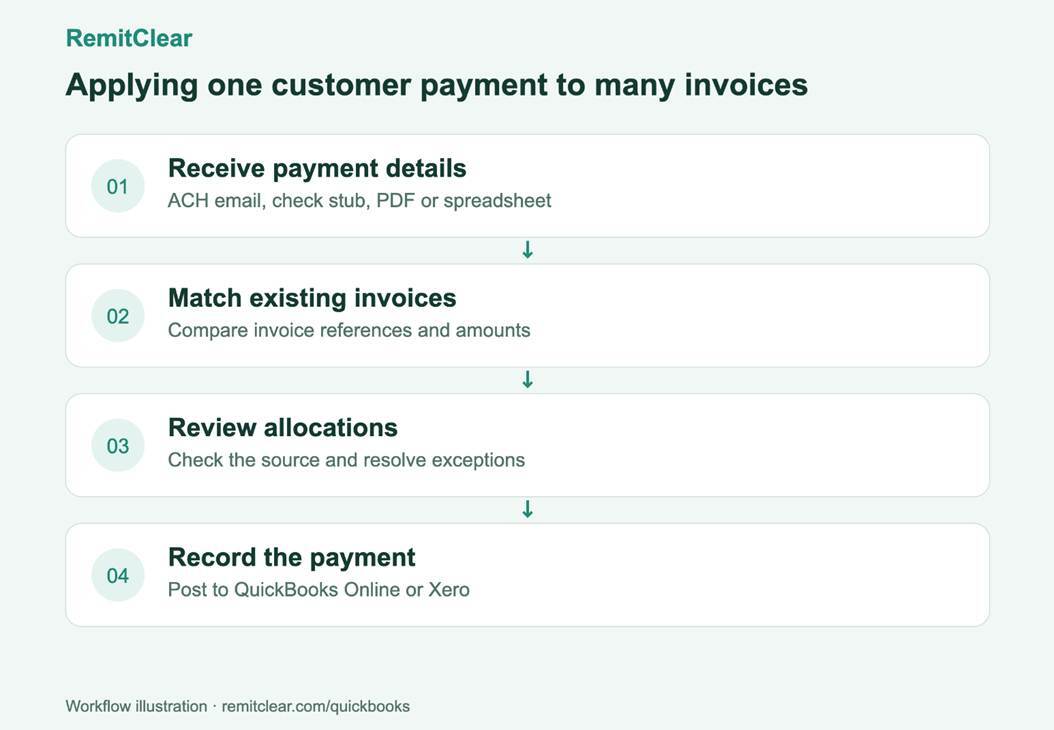
As a QuickBooks Online user you can access RemitClear at: https://remitclear.com/quickbooks
Xero
RemitClear Integrates with Xero ‘Early’, Xero ‘Growing’ and Xero ‘Established’.
RemitClear connects to an authorized Xero organization and reads its open invoices. It matches invoice details from remittances, then records reviewed allocations as batch payments or separate invoice payments. Larger batches can be divided to fit Xero's transaction limit. Document attachments and links to the resulting transactions keep the source evidence accessible.
As a Xero user you can access RemitClear at: https://apps.xero.com/us/app/remitclear
Competitive Landscape
Within the Fintech market, RemitParse and HighRadius Cash App could be considered as possible alternatives to RemitClear. Insightful Accountant made no attempt to review either of those apps, nor make a comparative analysis with such apps. No opinion is expressed as to the suitability of such apps as a potential alternative.
Conclusion
If you are looking for a solution to help with applying incoming customer payments and that works with your QBO and Xero, check out Remit Clear.
For More Information
Contact Jacob Soutgate at RemitClear, Ltd., located at 71-75 Shelton Street, Covent Garden, London, England, WC2H 9JQ United Kingdom.