
Last Fall Insightful Accountant provided you with an update about Profitability Reporting changes within QuickBooks Desktop Enterprise. Intuit has released the R19 update to QBD Enterprise within the last few days, and it includes additional Profitability Report enhancements.
This article summarizes, and provides applicable information, regarding the updates and enhancements included in the most recent update.
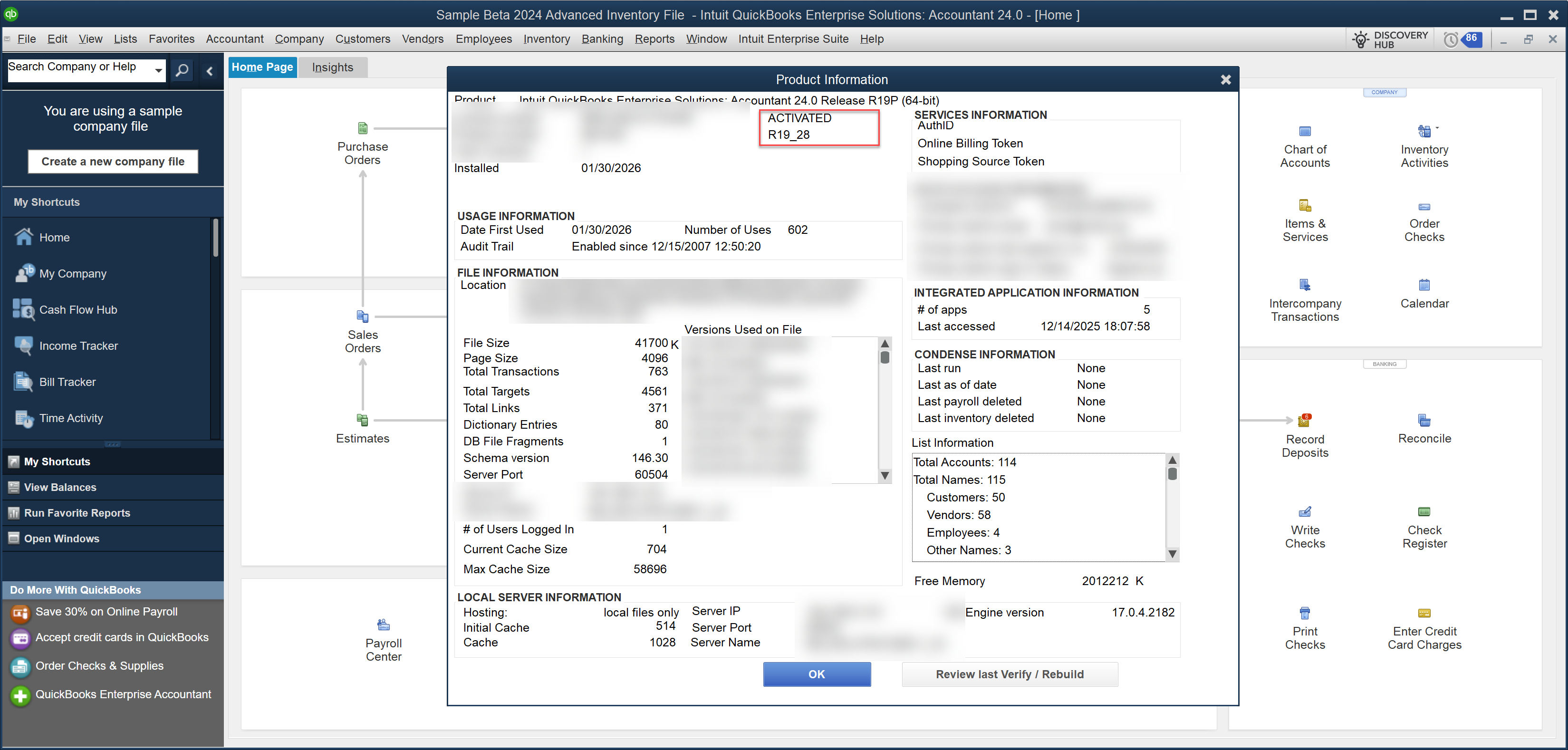
Again, we are looking at Profitability Reporting available in QuickBooks Desktop Enterprise 2024 R19. Be sure you verify that your product is on this latest release using the Product Information window (accessible via the F2 key) as shown below:
Invoice Profitability by Customer Report
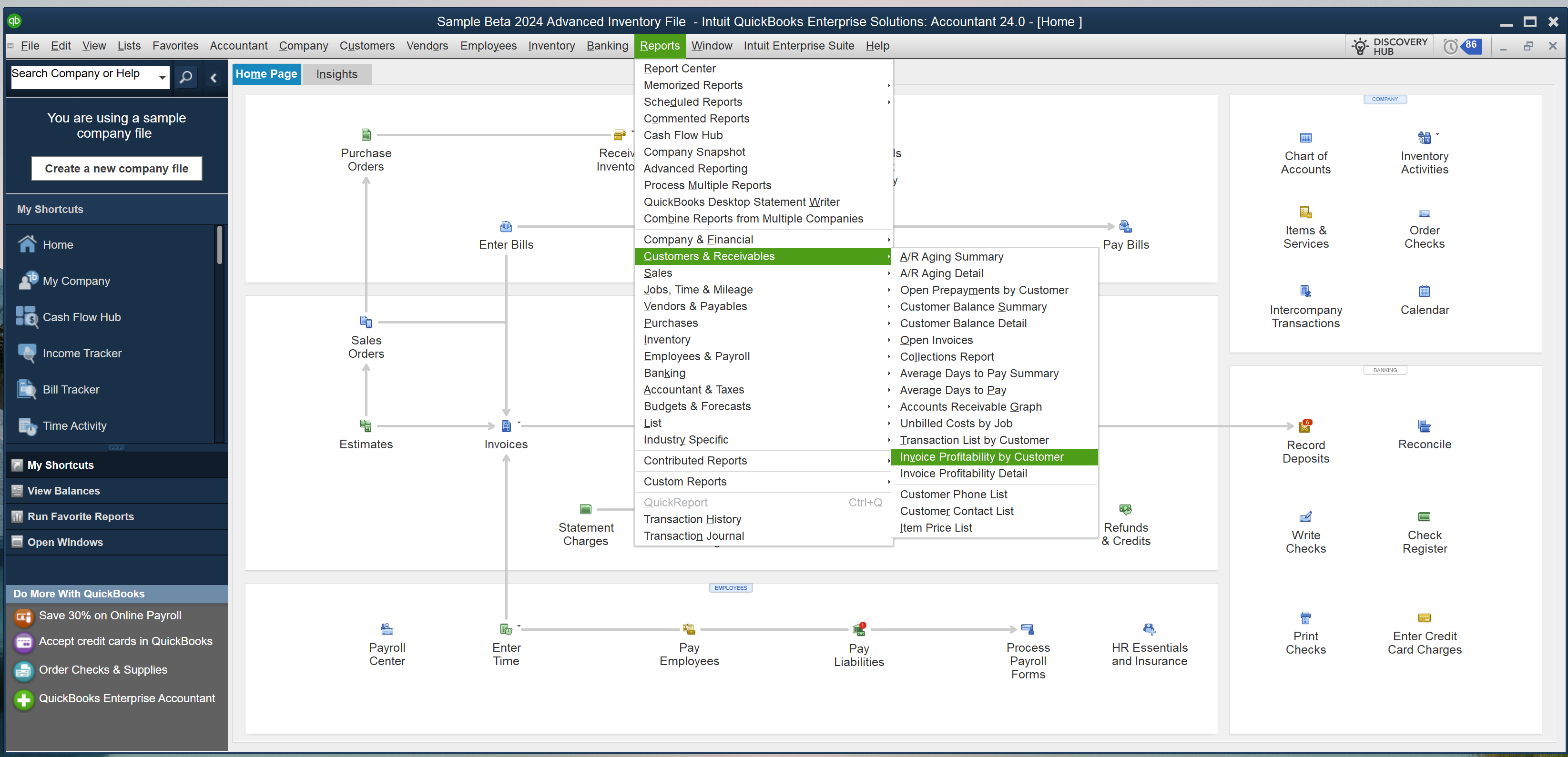
You can access both the Invoice Profitability Detail report and the Invoice Profitability by Customer report from the Reports menu item, then selecting Customers & Receivables, then choosing the specific report you are looking for. First, let's look at the Invoice Profitability by Customer report, accessed as shown below.
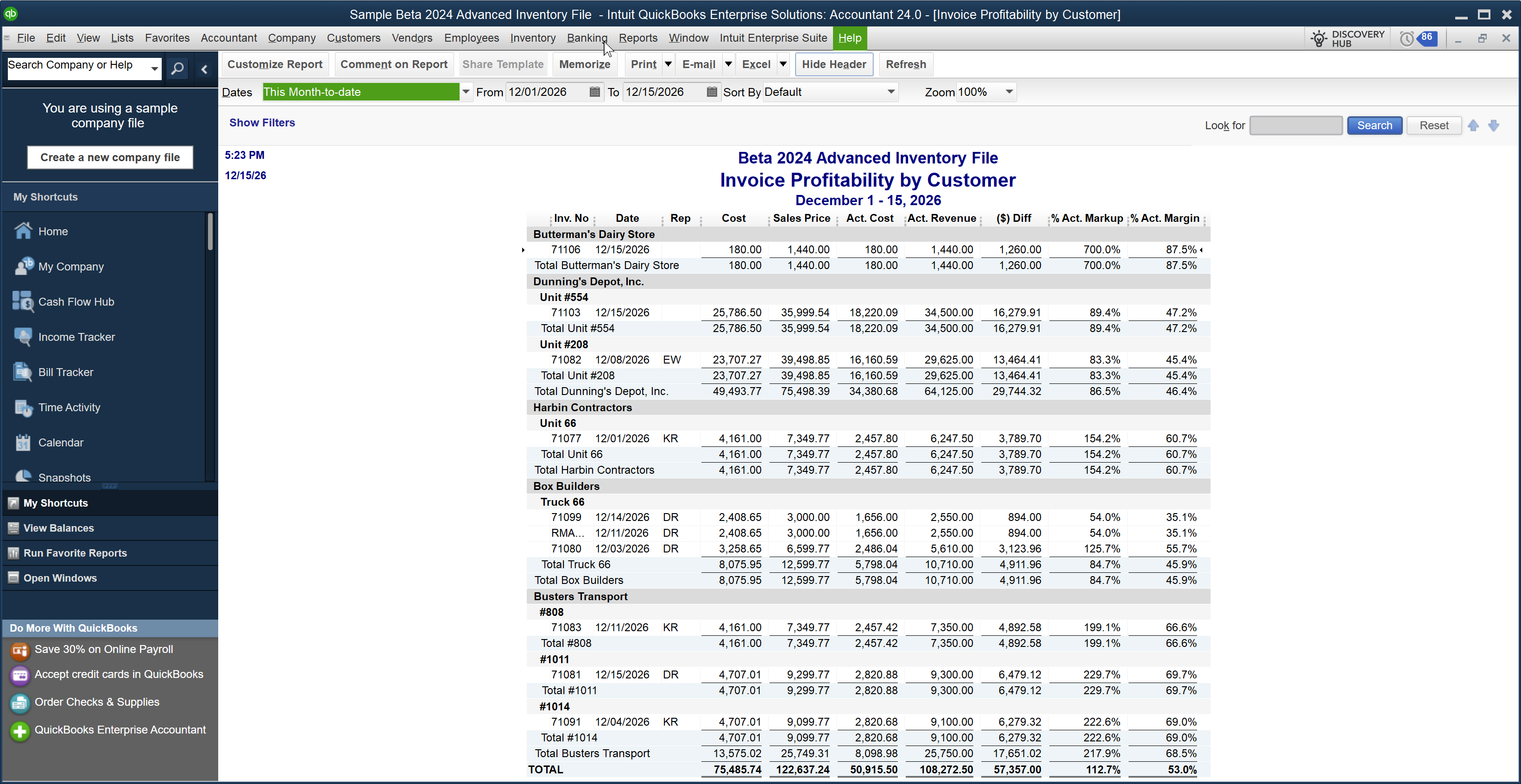
Below is the 'Default' of that report which lists Customers and Jobs under each Customer, along with the Invoices and the related profitability measures which we will review later in this article.
Invoice Profitability Detail Report
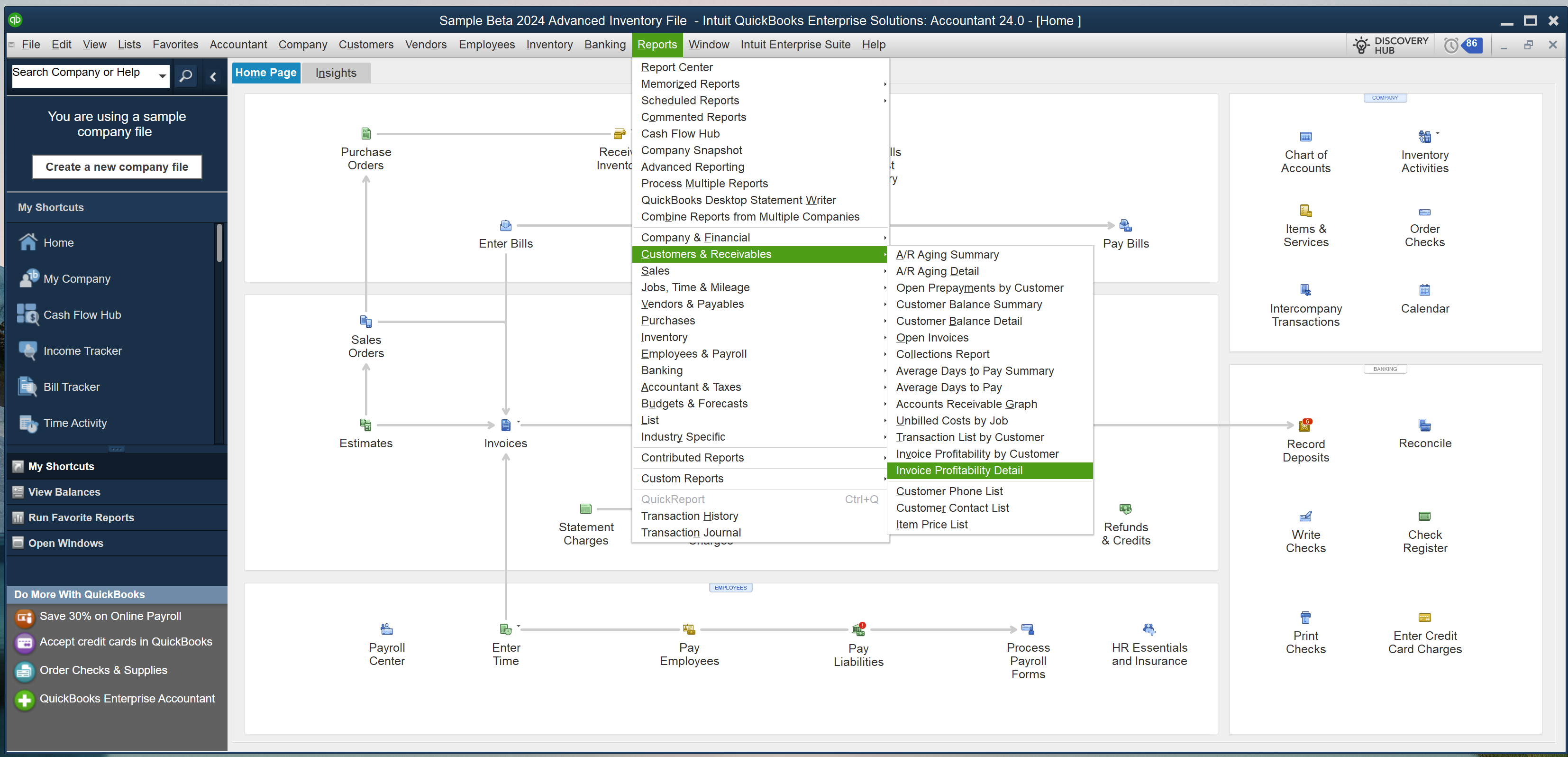
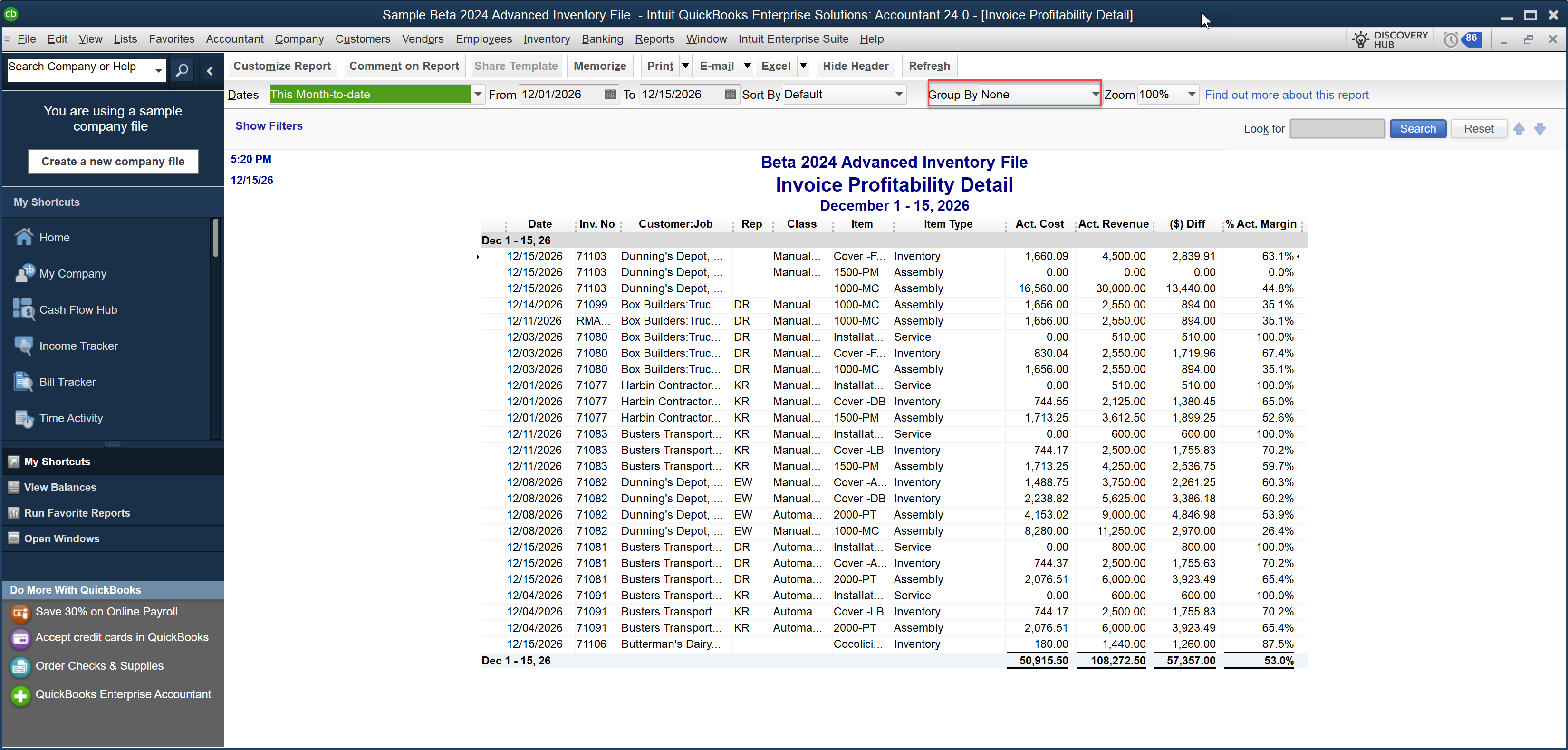
Now, let's turn our attention to the Invoice Profitability Detail report, which is accessed as shown in the image below.
When you open this report, the 'Default Grouping' is set to 'None' as illustrated within the Red box within the image below.
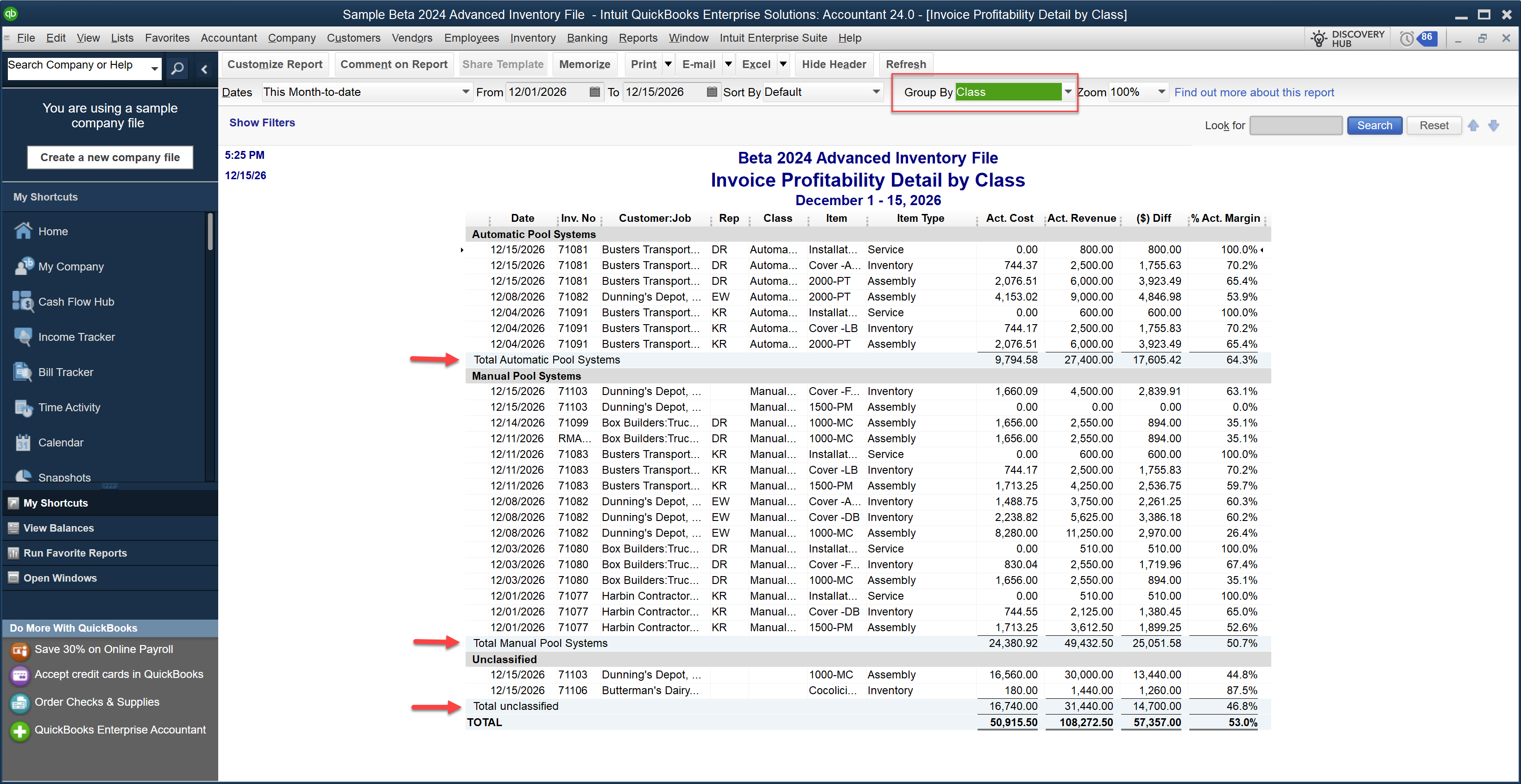
There are several alternative 'Groupings' available for this report. One such grouping is by 'Class' (again shown in the Red box within the image below. We've highlighted various classes with Red arrows to illustrate the differences between these report groupings.
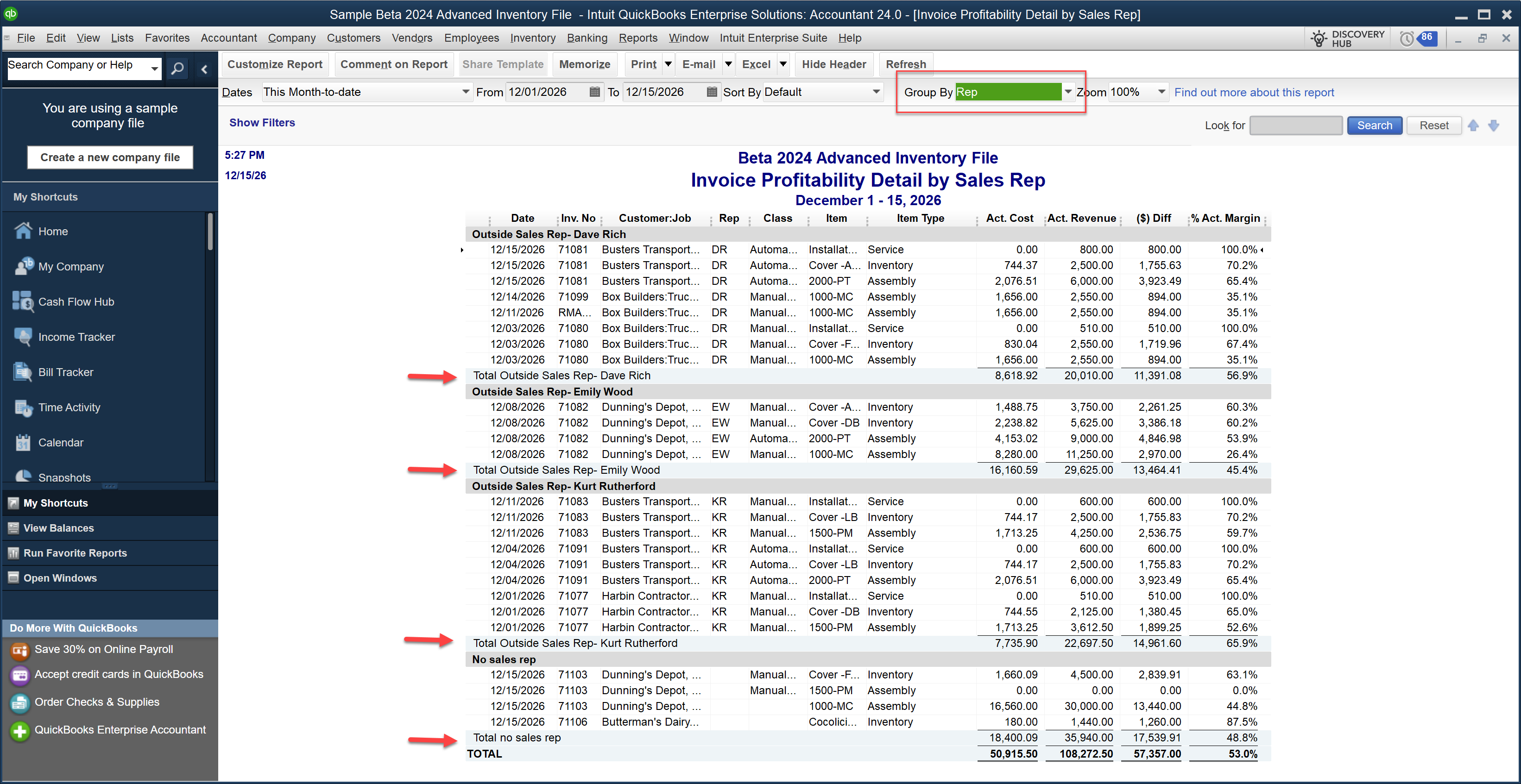
Another available 'Grouping' is 'Representative (Rep)' shown in the report below.
There are more groupings available, like 'Items' (shown below). Note that for each of the items shown in the report the related Invoices and profitability measures are provided.
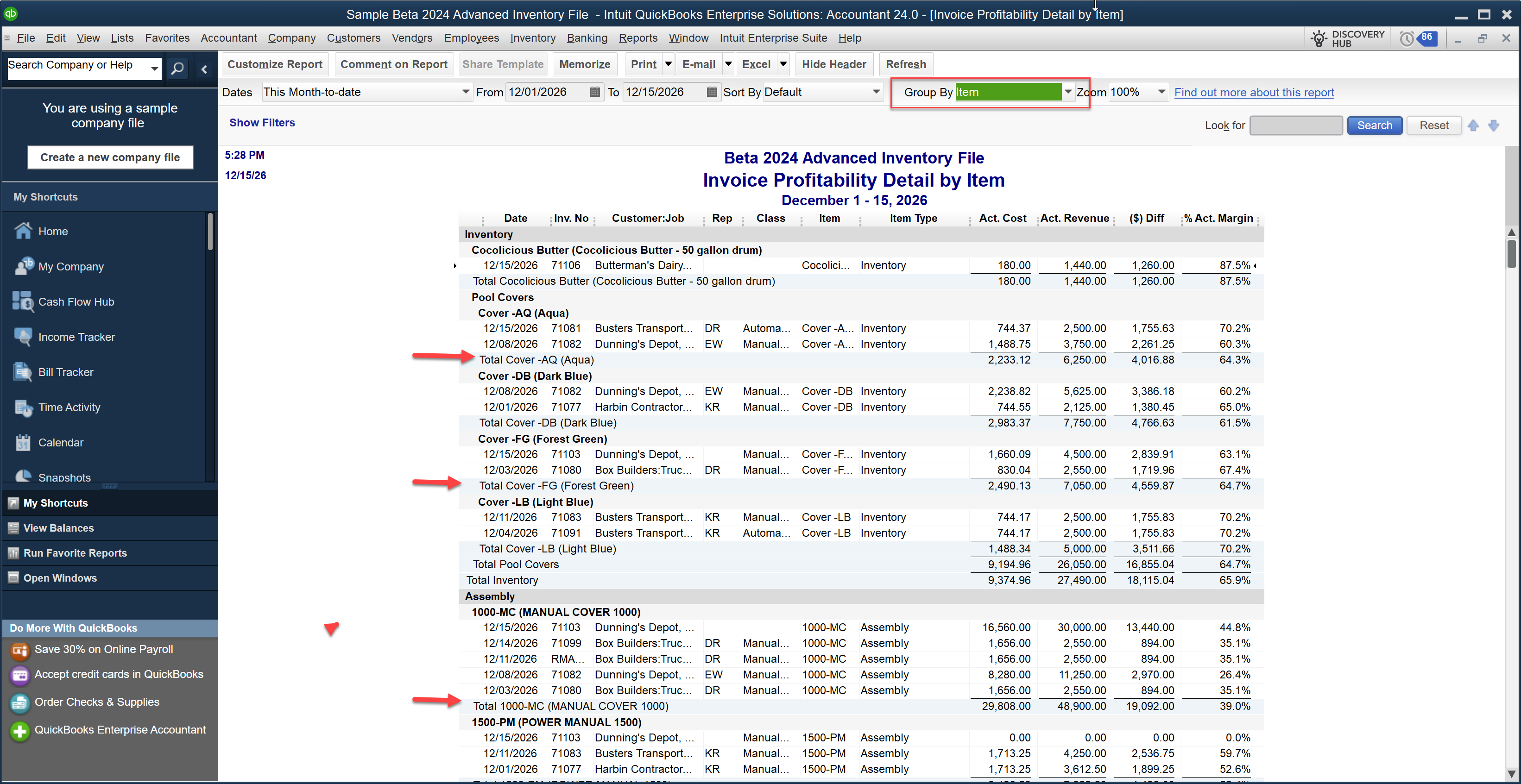
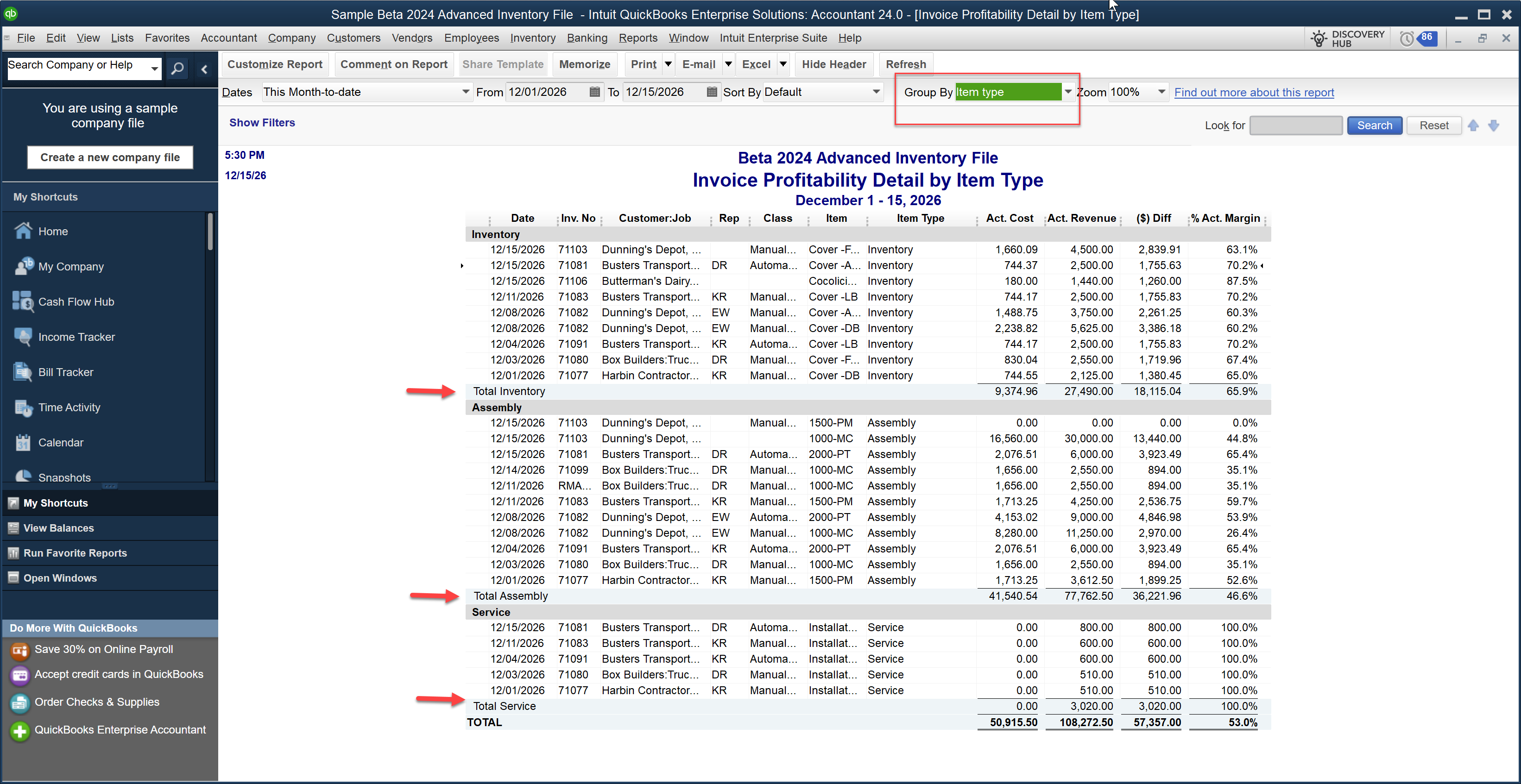
And what would this type of reporting be if you could not 'group by 'Item type' (shown in the illustration below).
Profitability Measures Appearing in These Reports
Let's review various 'profitability measurements' found in many of these reports.
-
Actual Cost:
The value in the Actual Cost column comes from your company file's inventory valuation method. It is most likely the Average Cost method, but some Advanced Inventory users may be using the FIFO (First-In, First-Out) method.
The cost reflected represents a 'snapshot' of the inventory cost at the time the Invoice was created. It is the same value that is posted to COGS (Cost of Goods Sold), then the item is relieved from Inventory. This means you can have two different Invoices for the same item with different costs if the invoices were on different dates/times.
The Act. The Cost column displays values based on the cost of inventory and assembly items in your Item List. QuickBooks considers the cost of other item types, such as services, discounts, or other charges, to be $0.00. This is also the standard behavior in other profitability reports.
-
Actual Revenue:
The value in the Act. Revenue column represents the revenues generated for the inventory item(s) at the time of the Invoice based on your sales price.
-
$ Difference:
The values in the $ Diff column represent the 'gross profit'. Gross Profit is computed as Revenue – Cost of Goods Sold (COGS).
-
% Actual Markup:
The Report uses % Actual Markup to express profitability as a percentage. It reflects the percentage by which you increased your cost to achieve your sales price.
-
% Actual Margin:
Some of these reports computes the percentage of revenue representing your profit and expresses that value in the #% Actual Margin. Generally, not included in the Profitability Detail Report versions illustrated above.
Summary
Remember, you must be using the R19 (latest update) release to QuickBooks Desktop Enterprise 2024 (v24) to have access to all of these profitability reporting enhancements. Unfortunately, you won't find this (as of yet) appearing in the What's New section of the QBD Enterprise 'Discovery Hub.'
Disclosures:
Content based on Intuit source content within QuickBooks Desktop (Enterprise) 'help'. Graphics adapted from actual in-product screen captures within QuickBooks Enterprise 2024 (using an Intuit supplied 'sample file.'. Intuit content adapted by Insightful Accountant from Intuit sources is furnished for educational purposes only.
As used herein, QuickBooks Desktop (and all related SKUs, including QuickBooks Enterprise) refer to one or more registered trademarks of Intuit® Inc., a publicly-traded corporation headquartered in Mountain View, California.
Any other trade names or references used herein may refer to registered, trademarked, or copyrighted materials held by their respective owners; they are included in the content for informational and educational purposes only.
This is an editorial feature, not sponsored content. No vendor associated with this article has paid Insightful Accountant or the author any form of remuneration to be included within this feature. The article is provided solely for informational and educational purposes.
Note: Registered Trademark ® and other registration symbols (such as those used for copyrighted materials) have been eliminated from the articles within this publication for brevity due to the frequency or abundance with which they would otherwise appear or be repeated. Every attempt is made to credit such trademarks or copyrights within our respective article footnotes and disclosures.