
You might not need to go further than your local office supply to find a suitable alternative to QuickBooks Desktop if you are a small to medium business.
Introduction
Over the last few weeks, we have looked at some ‘desktop’ alternatives for QuickBooks Desktop. The reaction has been somewhat varied… one reader sent me an email saying, “why would we even consider writing about these ‘little accounting software?” Another reader made the comment, “I wish I had known about this software years ago, it’s perfect for my smallest clients, and a lot cheaper.”
Insightful Accountant is here to serve the accounting tech needs of our readers whether that is an off-the-shelf accounting software, of a several hundred-thousand-dollar ERP implementation, presentation, and anything in between.
That’s why in our continuation of our Desktop-to-Desktop alternatives series we want to really get down to the bare minimums and tell you a little about some ‘Retail Store’ Accounting software alternatives. And I will explain what I mean by a ‘Retail Store’ in a moment, but, I will do so by way of a ‘long ago story’ of my very first purchase of “QuickBooks.”Long ago, in a city not so far away, with a dear friend who is now passed, we stood in line outside a small shop that sold computer components and retail computer software to buy the very first release of the ‘Big Brother’ of Quicken, something Intuit was calling QuickBooks (for DOS). That is what I said, ‘DOS’ as in the one and only ‘Disk Operating System.’
My friend and I had an arrangement we would meet at 7AM outside this store that opened at 9 AM. He would bring the coffee (in a thermos no less) and I would bring the donuts. The store manager had told us that he would receive only a few copies of this new QuickBooks and that he was expecting a crowd, so we should get their early.
When we arrived nobody was there, not even any other cars in the small 8-space parking lot. But we were certain that the entire accounting community would be rushing to the store opening, so we braved the 36-degree weather with a 20 mile per hour wind, and wind chill of 14, to make certain we were the first people in the door.
In those days there were none of the ‘big box’ stores like ‘Worst Buy’ or ‘Buy for More’ even in existence, at least not in our 350,000+ population city. Personal computers were so new, and expensive at the time, even though your ‘smart watch’ can do 100 time the computing of those x86 computers, and we thought they were the best thing since ‘sliced bread’. Problem was they were sold mostly from small stores that ordered them from the manufacturer based on a set of offerings and you paid half up front and half when it arrived at the store.
You could hardly identify what software was available other than what was on the 8 or 12 shelves of the same store, because, you guessed it, the ‘Internet’ didn’t yet exist to let you search for things like accounting software. But I digress.
When the store owner arrived just before 9AM, the two of us felt foolish because we were still the only one ‘in line.’ The owner looked at me and said, you are the guys wanting that new QuickBooks, aren’t you?
He then had the audacity to say, “Good thing you are here early, I only received three copies of it.” I then told him, "I’m at the front of the line, so I will take two copies, and my friend will take the other one.” My friend just laughed.
QuickBooks (version 1) was supplied via 5-1/2-inch floppy drives inside a clear-plastic wrapped fancy box and as I said, it was written for the DOS operating system. It was a happy day for both of us.
Such is the concept of buying what you’ve been looking forward to from your local retail store. Small computer shops gave way to the mega software stores, then the internet took over most of the business, and today Amazon is the place most people head to look for software like we are going to discuss hereafter.
But, depending on the size of your local office supply, especially those chain office supply stores, you might actually find a very small software section of like 4 or 6 shelves with ‘retail boxed products’ still on the shelves even though when you buy the box, the instructions may give you the ‘download’ URL to get the latest and greatest version.
And such is true for the three (not just one) Retail Store Accounting Software we want to introduce you to.
Bookkeeper by Avanquest
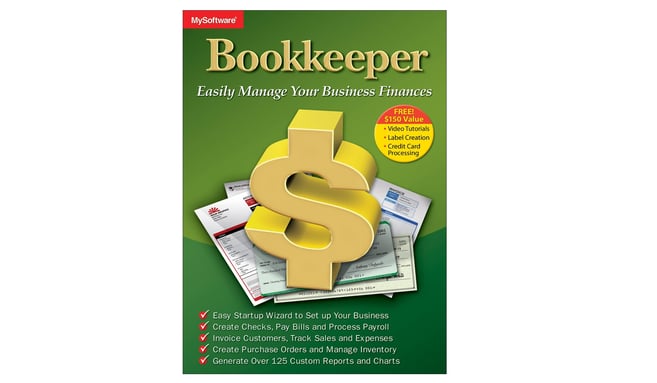
Bookkeeper (formerly MySoftware) is a budget‑friendly, locally installed accounting solution for small businesses that need essential functions such as check writing, invoicing, basic payroll, and (limited) inventory tracking.
Pros
- Low cost: One‑time purchase with significantly lower expenses than subscription‑based platforms.
- Core functionality: Supports invoicing, accounts payable/receivable, check writing, payroll (with 2026 tax tables), inventory, and bank reconciliation.
- Easy setup: Includes a guided Startup Wizard for quick configuration.
- Offline capability: Fully desktop‑based and functional without internet access.
Cons
- Technical issues: Users frequently report installation and update problems.
- Outdated interface: The UI is less intuitive compared to modern cloud systems.
- Limited support: Customer service can be slow or unresponsive.
- Minimal automation: Lacks modern banking integrations and customization options for checks and reports.
Best For: Small businesses wanting a basic, low‑cost accounting software for straightforward bookkeeping needs. Be aware that it lacks the refinement and automation of many contemporary accounting software.
Simple Accounting by Simpleplanning
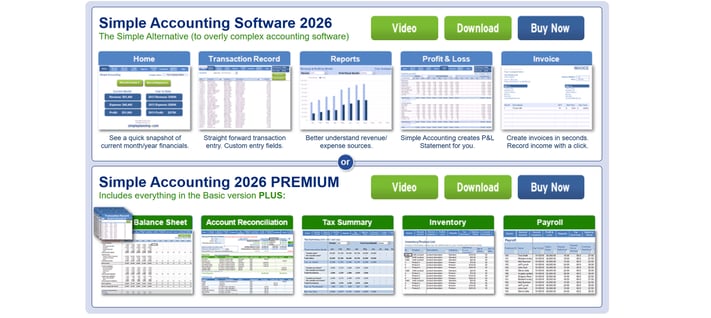
Simple Accounting is an Excel‑based (Add-in) bookkeeping tool designed for very small businesses seeking a lightweight, low‑cost alternative to full accounting systems.
Pros
- Easy to use: Simple layout with a short learning curve.
- One‑time purchase: No subscription fees.
- Fast setup: Excel spreadsheet format allows immediate data entry, if you have Excel.
- Useful small‑business features: Includes invoicing, income/expense tracking, and P&L reporting.
Cons
- Manual processes: Requires manual data entry and reconciliation.
- Limited scalability: Not ideal for businesses with high transaction volume or multiple users.
- Security considerations: Spreadsheet data requires manual backup and protection.
- You must have Excel: You are just plugging in this application into Excel to set-up your business accounting. If you don’t have Excel, or know how to use Excel, this one isn’t for you.
- No automation: Lacks automatic reporting, integrations, or cloud access.
Best For: Freelancers and very small businesses that prefer simplicity over advanced features and already use and know Excel.
ezAccounting by Halfpricesoft
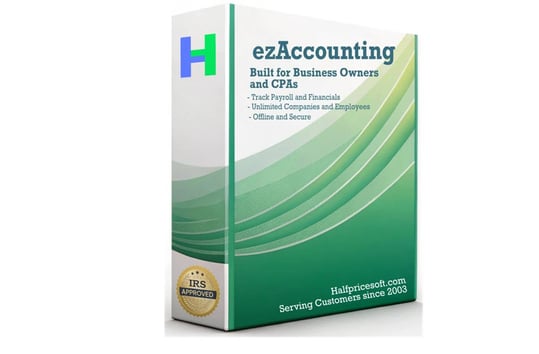
ezAccounting is a low‑cost, desktop‑based accounting and payroll system priced at roughly $199 per calendar year. It offers payroll and tax tools without monthly subscription fees.
Pros
- Affordable annual cost: Includes accounting, payroll, and tax form processing for one yearly fee.
- Basic payroll tools: Provides automatic tax calculations and prints forms such as 940, 941, W‑2, and W‑3.
- Local data control: Desktop installation keeps all your financial data stored locally.
- Simple setup: Designed for use by accountants and non‑accountants.
- Free trial: Offers 30‑day trial without a credit card being required.
Cons
- Desktop‑only: No cloud features or remote access, if you want cloud software, look elsewhere.
- Annual updates required: New purchases required each year for updated tax forms.
- Limited automation: Offers fewer integrations and automated workflows than cloud‑based platforms.
- It’s been around: Small user community and even fewer third‑party (plug-in) resources.
Best For: Small businesses that prefer desktop software and want built‑in payroll without ongoing subscription costs.
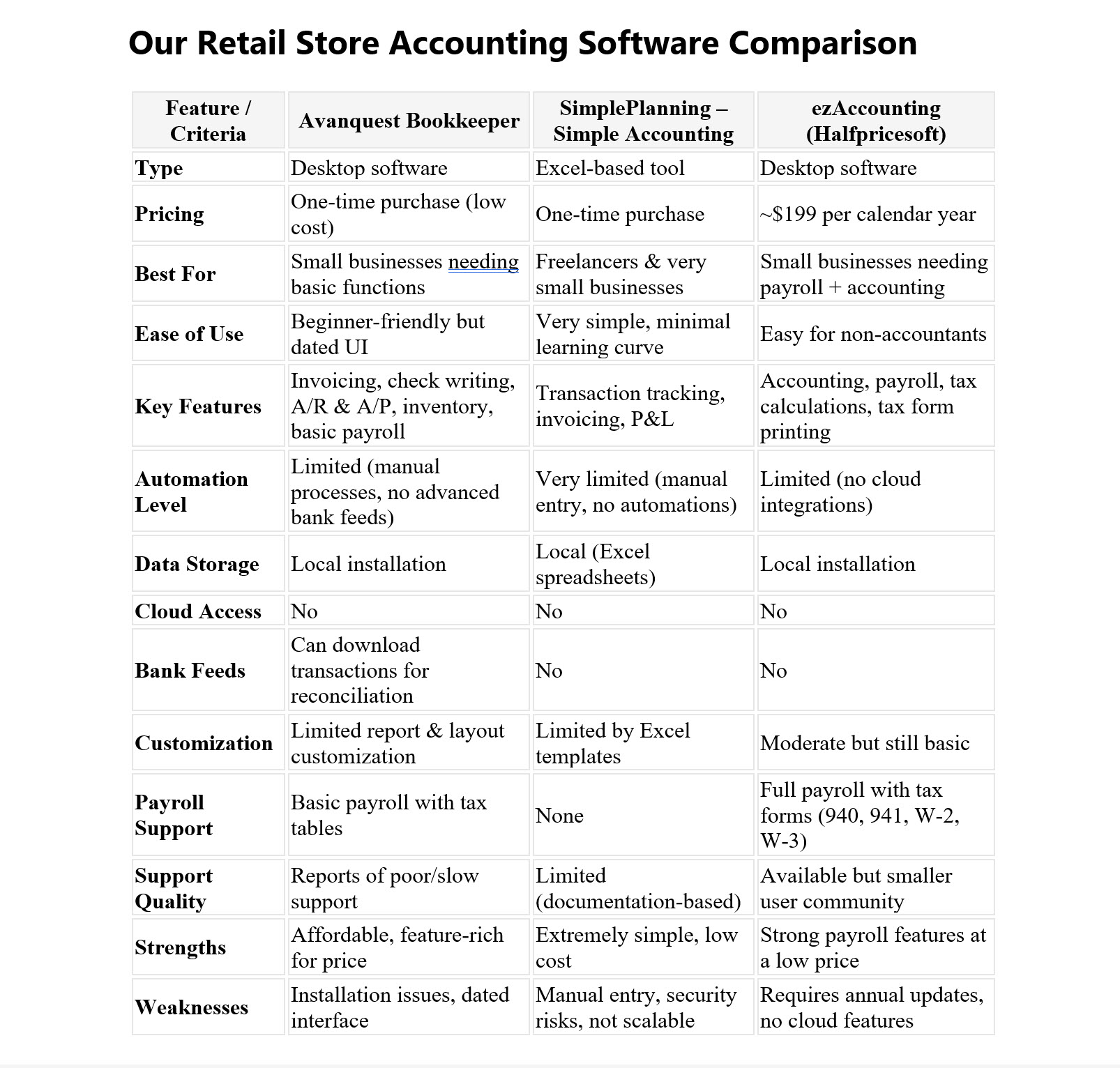
If you are looking for some kind of accounting software "the way it was", right off the shelf of your favorite office (or computer) supply store, and equally priced (or nearly) of those days of old, check out these three alternatives to all the monthly or annual subscribe or it's turned off products on the internet.
You might just find "the dream of a lifetime."
Disclosures:
The graphic in the headline contains a snapshot of ezAccounting, it is used for educational and informational purposes only.
QuickBooks, Bookkeep, ezAccounting and SimpleAccounting, as well as any other trade names or references used herein may refer to registered, trademarked, or copyrighted materials held by their respective owners. They are used as examples for points made by the author and publisher within this content which is intended for informational and educational purposes only.
Insightful Accountant provides features of this type as a courtesy and an information resource to our readers. All information provided is for educational and informational purposes only. This is an editorial feature, not sponsored content. No vendor associated with this article has paid Insightful Accountant or the author any form of remuneration to be included within this feature. The article is provided solely for informational and educational purposes.
Note: Registered Trademark ® and other registration symbols (such as those used for copyrighted materials) have been eliminated from the articles within this publication for brevity due to the frequency or abundance with which they would otherwise appear or be repeated. Every attempt is made to credit such trademarks or copyrights within our respective article footnotes and disclosures.