
In this edition of 'Ecosystem Enlightenments' Murph seeks to enlighten you regarding ProcureDesk, a cloud procurement and AP automation platform that works with QuickBooks (Online and Desktop) as well as Xero.
About ProcureDesk
ProcureDesk is a cloud procurement and AP automation platform that helps mid-market finance teams (100 to 1,000 employees) control spend before the invoice arrives. The platform includes six modules: Procurement, AP Automation, Inventory, Contracts, Expenses and Virtual Cards. ProcureDesk is SOC 2 Type 2 audited, with all customer data hosted in the US.
Approved bills sync to QuickBooks Online, QuickBooks Desktop (Enterprise), Xero, Sage Intacct, NetSuite, Microsoft Business Central, and more, payment status synchronizes via the 2-way sync.
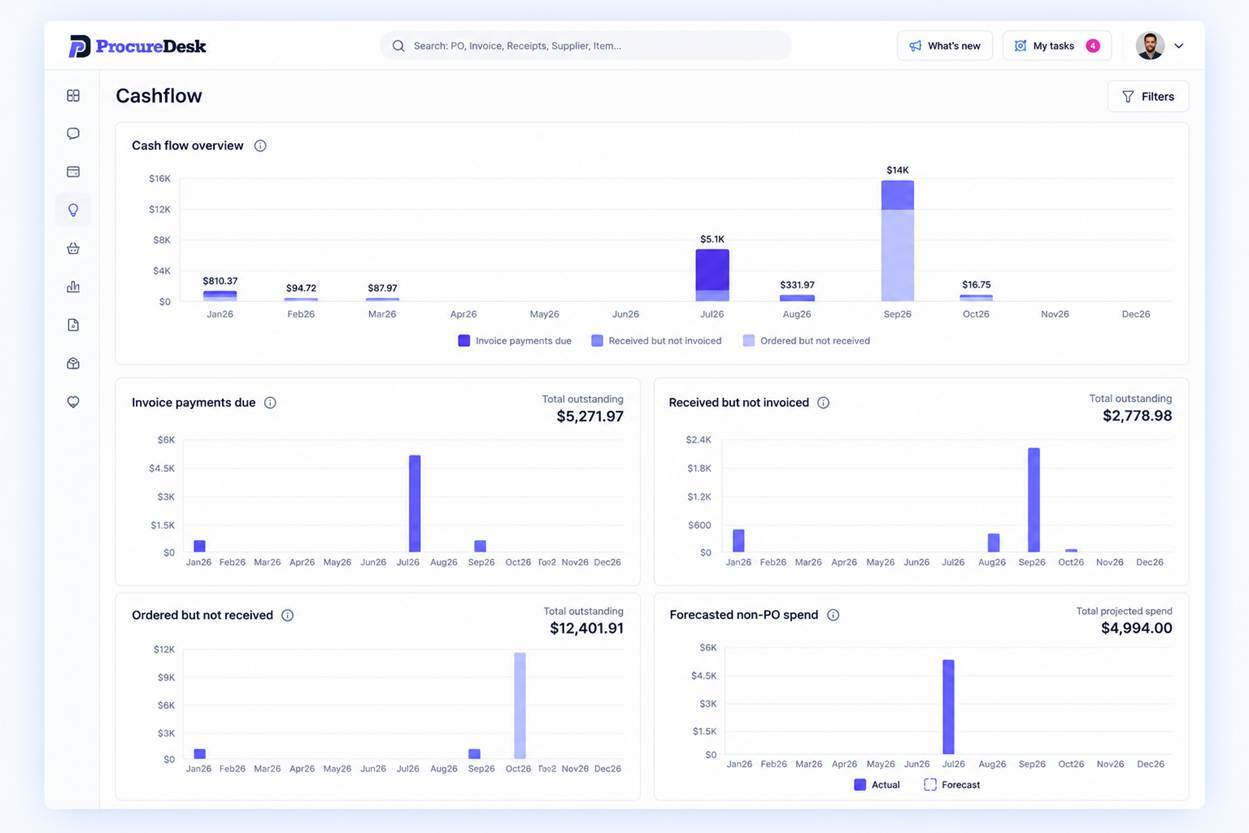
For accounting firms, their clients using ProcureDesk have books that are already approved, coded and documented, which substantially cuts the time required for month-end cleanup and audit prep.
Accounting Integrations
QuickBooks Online
ProcureDesk can work with both the U.S., Canadian, European, Middle East/Africa and Rest-of-Americans versions of QBO Essentials, QBO Plus, QBO Advanced and QBO Accountant. You can view their QBO App Store listing HERE.
ProcureDesk connects to QuickBooks Online with one secure sign-in through Intuit’s official authorization, and it never stores your QuickBooks login. Once connected, it imports your vendors, chart of accounts, classes and locations, so every purchase request is coded the way your books are set up. Employees request and approve purchases in ProcureDesk without needing a QuickBooks login.
QuickBooks Desktop
ProcureDesk can works with both the U.S. and Canadian versions of QuickBooks Desktop Pro, QuickBooks Desktop Premier and QuickBooks Desktop Enterprise.
ProcureDesk connects to QuickBooks Desktop through the QuickBooks Web Connector, Intuit’s own tool for linking outside apps, which your admin approves in about a minute. ProcureDesk never stores your QuickBooks login. Once connected, it imports your vendors, chart of accounts, classes and locations, so every purchase request is coded the way your books are set up. Employees request and approve purchases in ProcureDesk without needing QuickBooks access.
Xero
ProcureDesk can work with Xero Established and Xero HQ. You can access their Xero App Store listing HERE.
ProcureDesk connects to Xero with one secure sign-in through Xero’s official authorization, and it never stores your Xero login. Once connected, it imports your contacts, chart of accounts, and tracking categories, so every purchase request is coded the way your books are set up.
How ProcureDesk Works
ProcureDesk sits on top of your accounting system and manages the purchase-to-pay flow before and after the invoice. Employees request items from punchout catalogs (Amazon Business, Staples, Grainger and 200+ others) or a simple form, with no accounting system login.
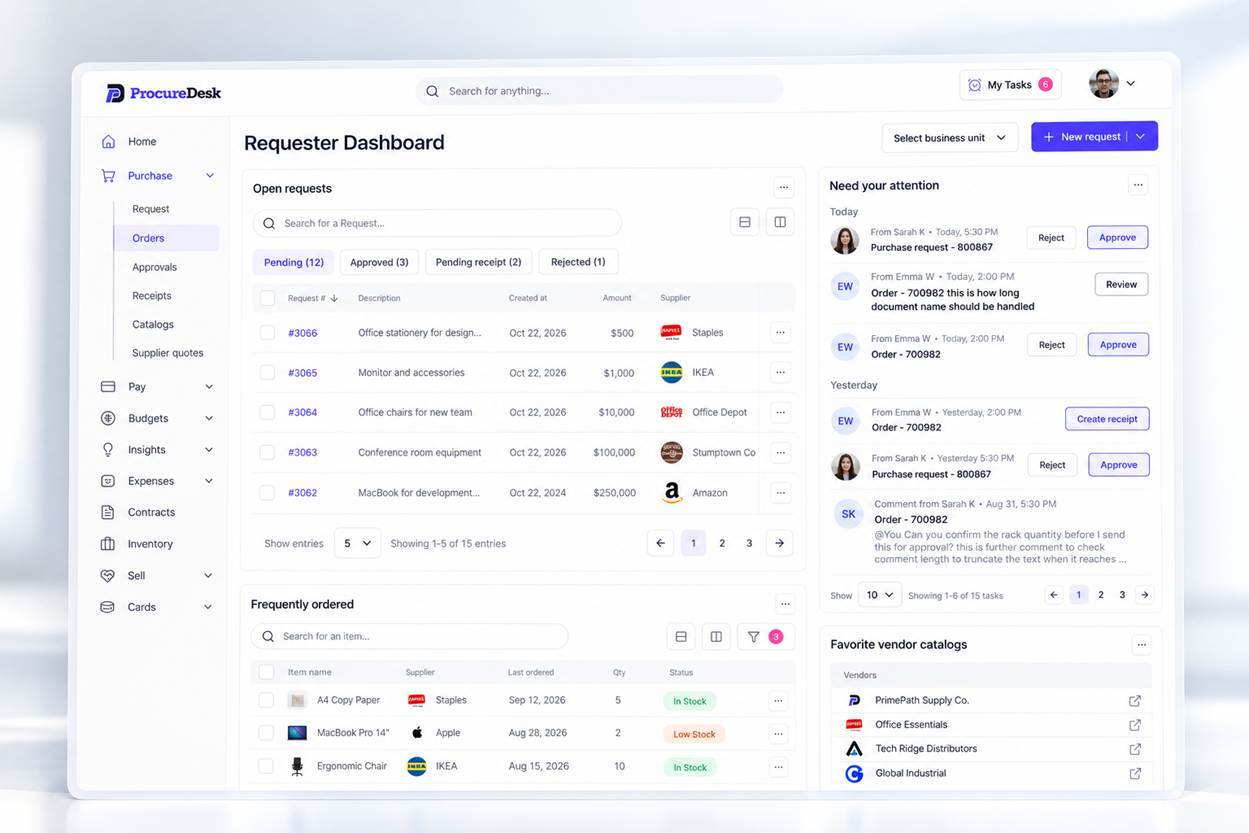
Approvals occur based on multi-level rules that route each request by amount, category and department. Approvers act by email or mobile app, and budgets are checked before any spend is committed. Approved requests become Purchase Orders which are sent to the vendor.
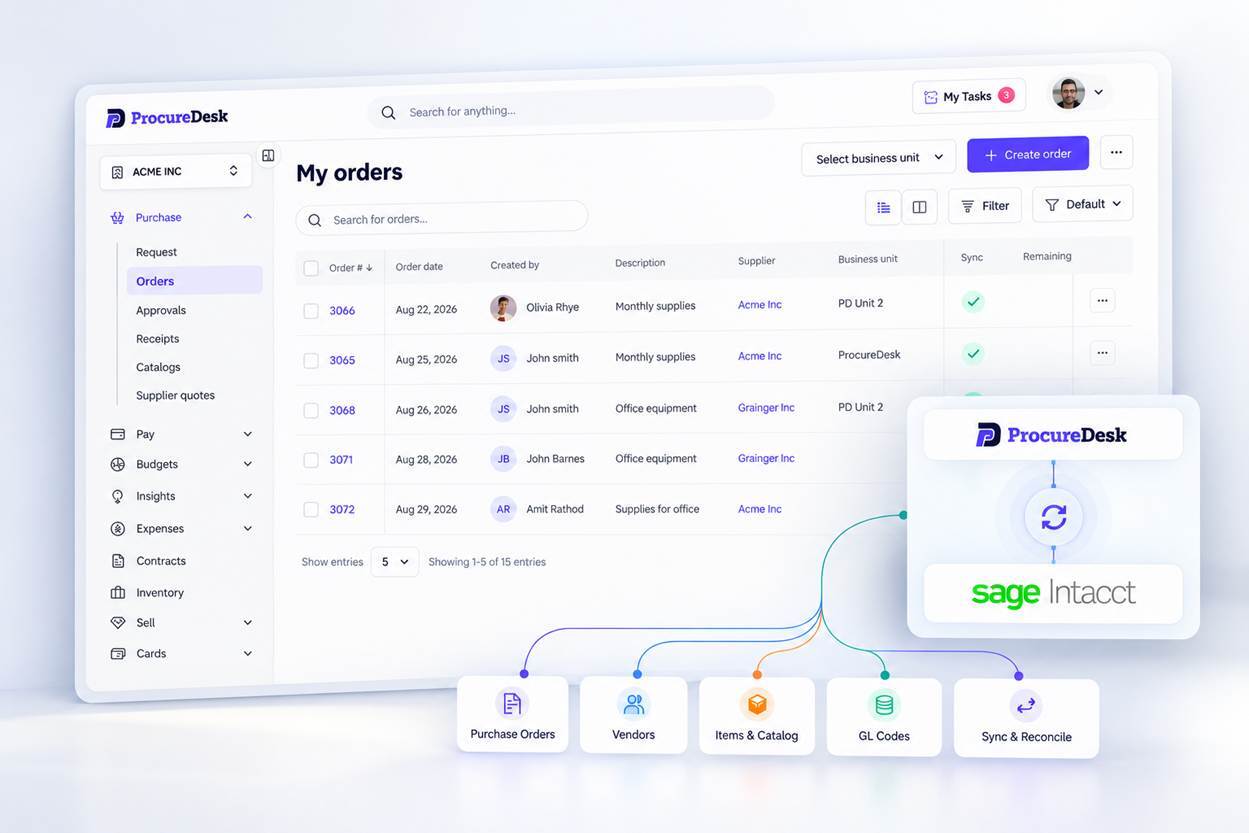
When receiving occurs, Order Receipts are confirmed to identify short and partial shipments. When invoices are received, each Invoice is captured by OCR and 3-way matched to the Purchase Order and Order Receipt. Discrepancies are flagged before payment.
Approved bills post to your accounting system with GL codes and supporting documents. Payments go out by ACH, check or virtual card. Payment status syncs back to ProcureDesk.
Vendors, chart of accounts and tracking categories import from the accounting system, which stays the system of record. Every step is logged in one audit trail from request to payment.
Benefits of ProcureDesk
-
Purchase orders are approved before the invoice arrives, so there are no surprise bills at month-end.
-
Approval rules by amount, department, GL account and budget.
-
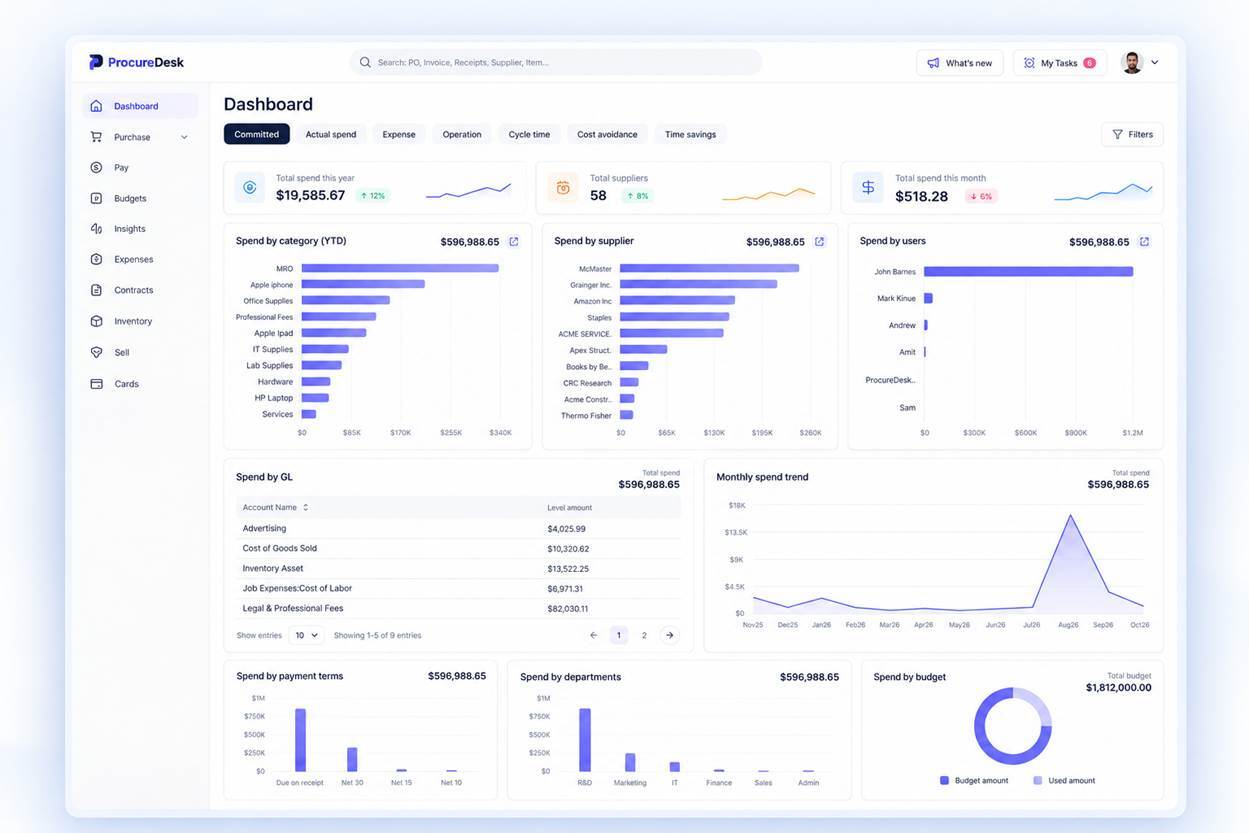
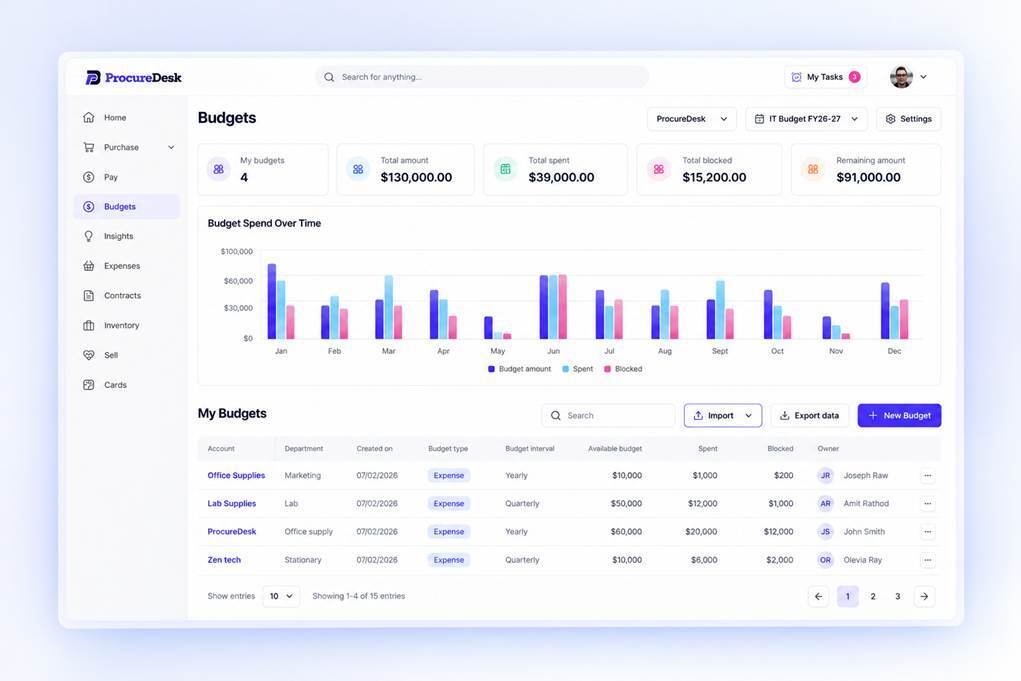
Budgets checked against every request, so overspend shows up before the commitment is made.
-
An AI agent that codes and reviews invoices before they reach the bookkeeper.
-
Invoice and PO matching, with exceptions flagged for review.
-
Two-way sync with QuickBooks, Sage Intacct, NetSuite, Microsoft Business Central, SAP HANA and Unanet.
-
More than 200 punchout catalog integrations for ordering from existing suppliers.
-
Payments by ACH, check or virtual card, run from one approved batch.
-
A mobile app for approvals and receiving on the go.
-
SOC 2 Type 2 audited, with all customer data hosted in the US.
Competitive Landscape
Within the fintech market, Procurify and Precoro might be considered as alternative ecosystem providers to ProcureDesk. Insightful Accountant made no attempt to compare or contrast such alternatives and accordingly makes no endorsements related thereto.
ProcureDesk reports that "presently, more than 500 customers use it across logistics, manufacturing, life sciences, construction, property management, and charter schools."
Conclusion
If you are looking for a cloud procurement and AP automation platform that will work with your QuickBooks Online, QuickBooks Desktop or Xero accounting (as well as many other accounting applications), be sure to check out ProcureDesk.
For More Information
For additional information on ProcureDesk, head over to the company’s website. You can explore a demo of ProcureDesk HERE. Sales related emails should be directed to sales@procuredesk.com
Other inquiries may be directed to: Sachin Sharma, ProcureDesk, 11427 Reed Hartman Way, Cincinnati, Ohio 45241
Disclosures:
Insightful Accountant provides Ecosystem Enlightenment features as a courtesy to accounting ecosystem services and service providers, as information resources for our readers. All information provided is for educational and informational purposes only. This article is provided for informational and educational purposes. Nothing herein, including the conclusionary statement(s), should be construed as a formal endorsement or recommendation by either the author or publisher.
Content herein is based on information submitted by the subject of this feature. Any additional content was adapted from information obtained from the developer's website and its associated content.
Any other trade names or references used herein may refer to registered, trademarked, or copyrighted materials held by their respective owners; they are included in the content for informational and educational purposes only.
Note: Registered Trademark ® and other registration symbols (such as those used for copyrighted materials) have been eliminated from the articles within this publication for brevity due to the frequency or abundance with which they would otherwise appear or be repeated. Every attempt is made to credit such trademarks or copyrights within our respective article footnotes and disclosures.