
In this edition of 'Ecosystem Enlightenments' Murph seeks to enlighten you regarding 'Inflow' automated collections for overdue accounts receivable.
About Inflow
Inflow is autopilot for accounts receivable (acting like an automated collection service, which is why this feature is an ‘ecosystem enlightenment’ rather than an ’app aware’).
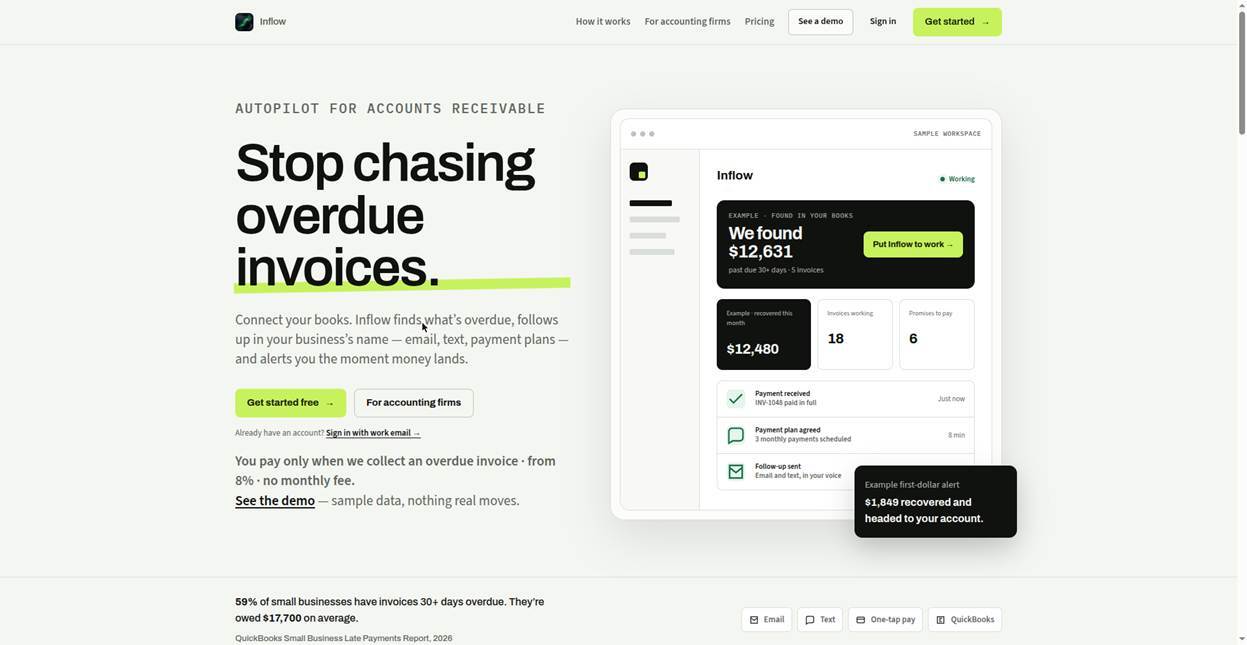
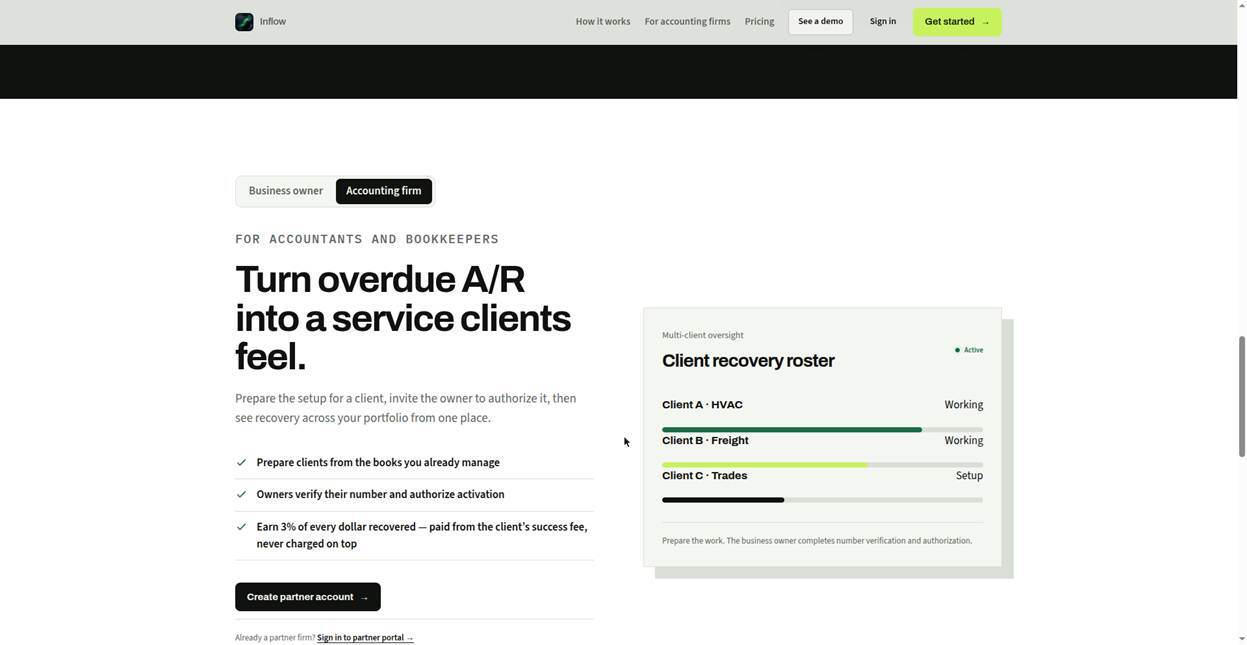
Inflow connects to QuickBooks Online, finds overdue invoices, and follows up with customers in the business's own name and voice — reminders, replies, and payment plans — then alerts the owner the moment money lands. It is built for advisors that owners already trust: accountants, bookkeepers, and fractional CFOs prepare a client from the books they already manage, the owner must authorize activation.
Accounting Integrations
Inflow presently works only with the U.S. versions of QuickBooks Online including QBO Simple Start, QBO Essentials, QBO Plus and QBO Advanced. It does not currently offer connectivity with Xero.
With the business owner's permission, Inflow connects to QuickBooks Online, reads customers and open invoices — balances, due dates, and aging — then it begins the collection process. Inflow marks invoices paid when a collected payment is verified. The owner can disconnect at any time from Inflow settings or the Intuit App Center.
How Inflow Works
Accounting firms connects a client’s QuickBooks Online (with the owner’s permission) via OAuth. Inflow reads the customer and open invoice files including each invoice balance and aging.
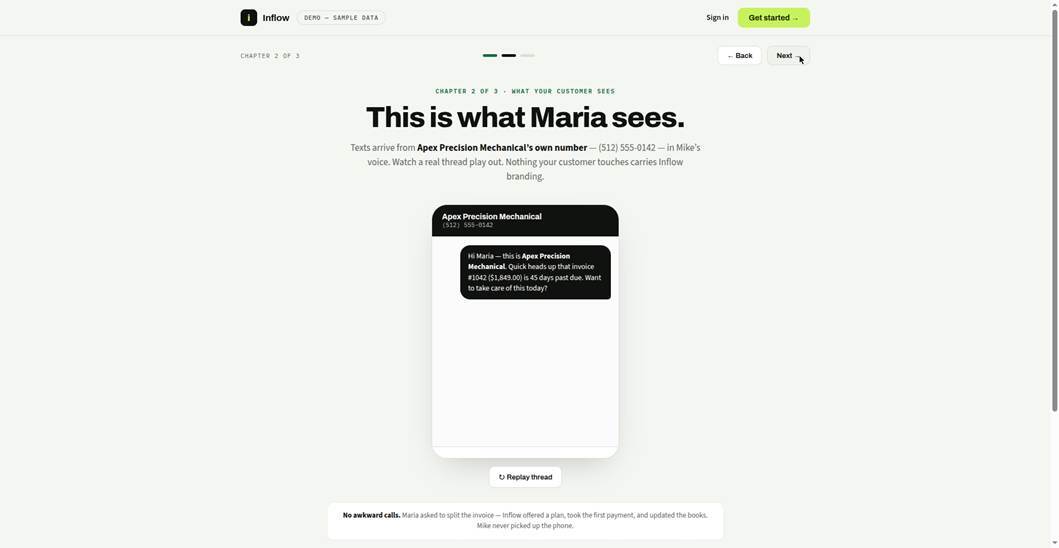
The accounting firm, or merchant (the firm’s client) reviews and approves the messaging voice before anything is transmitted to their customers. Customers always see their merchant's identity — never Inflow's.
Inflow then sends reminders in the business's name, understands everyday replies, offers payment plans within merchant-set rules, and reconciles each payment against the ledger.
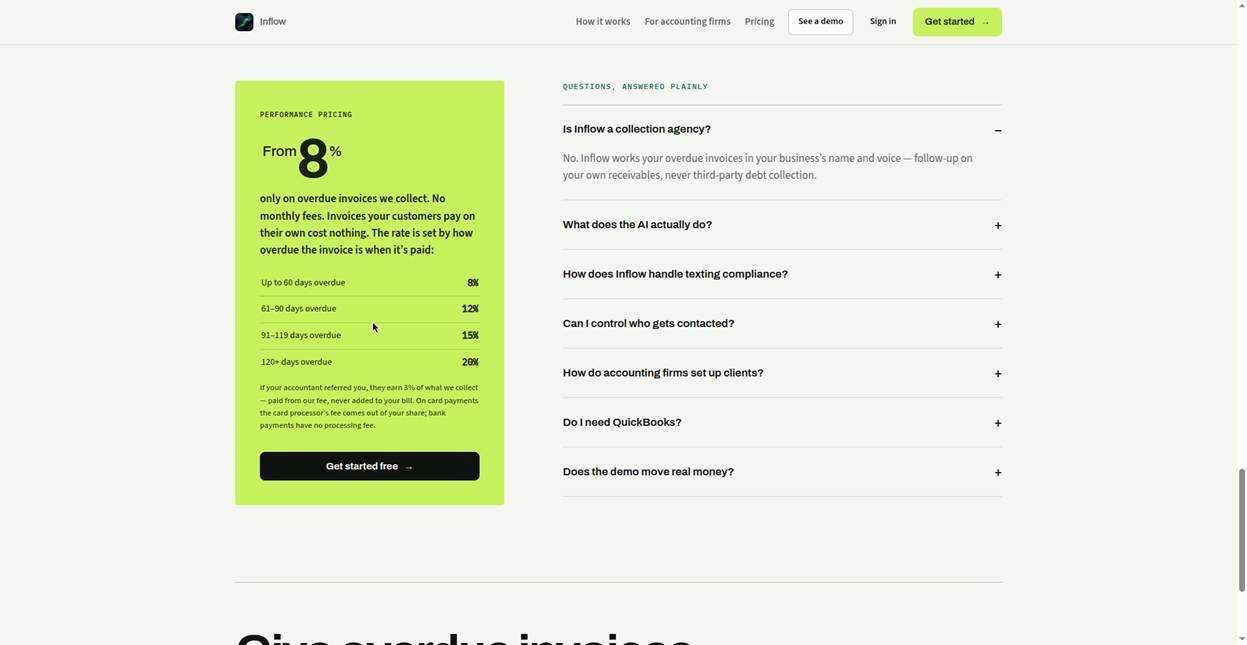
Settlement math is exact: the fee tier recomputes from the invoice's current age, the advisor's 3% comes out of the fee, and nothing is ever charged on money not collected. Pricing is performance-only with no monthly fee: 8% on invoices up to 60 days overdue, 12% (61–90), 15% (91–119), 20% (120+), charged only on money actually collected.
Benefits of Inflow
-
Connects to QuickBooks Online — overdue invoices import in minutes; no CSV, no manual entry, ever.
-
AI follow-up in the business's own name and voice; customers never see Inflow branding.
-
Handles everyday replies; disputes and edge cases pause automatically for owner review.
-
Payment plans with deterministic math — the AI never invents balances, dates, or fees.
-
Advisor lane: firms prepare clients from the books they already manage; the owner completes verification and authorizes activation.
-
Advisors earn a flat 3% of every dollar recovered, paid from the success fee — never added to the client's bill.
-
Performance-only pricing: 8/12/15/20% by invoice age at collection; invoices customers pay on their own cost nothing; no monthly fee.
-
Plain-English briefs and first-dollar alerts the moment money lands.
Competitive Landscape
Within the fintech market, AR Collect and ZenCash might be considered as alternative ecosystem providers to Inflow. Insightful Accountant made no attempt to compare or contrast such alternatives and accordingly makes no endorsements related thereto.
Conclusion
If you are looking for an automated collection system to manage your open accounts receivable you may want to explore Inflow as one possible solution.
Please note: At the time Inflow submitted their documentation used for this feature, Inflow was in pre-launch; while the product, interactive demo, and pricing appear on their live website (see below), they had no customer counts, evaluations or testimonials to share at the time of survey submission.
For More Information
For additional information on Inflow head over to the company’s website. You can explore a demo of Inflow HERE.
Inquiries may be directed to Ben Jones, JENNi Pro, Inc. of San Antonio, Texas.
Disclosures:
Insightful Accountant provides Ecosystem Enlightenment features as a courtesy to accounting ecosystem services and service providers, as information resources for our readers. All information provided is for educational and informational purposes only. This article is provided for informational and educational purposes. Nothing herein, including the conclusionary statement(s), should be construed as a formal endorsement or recommendation by either the author or publisher.
Content herein is based on information submitted by the subject of this feature. Any additional content was adapted from information obtained from the developer's website and its associated content.
Any other trade names or references used herein may refer to registered, trademarked, or copyrighted materials held by their respective owners; they are included in the content for informational and educational purposes only.
Note: Registered Trademark ® and other registration symbols (such as those used for copyrighted materials) have been eliminated from the articles within this publication for brevity due to the frequency or abundance with which they would otherwise appear or be repeated. Every attempt is made to credit such trademarks or copyrights within our respective article footnotes and disclosures.