
A couple of weeks ago we pointed out one alternative to QuickBooks Desktop, a product called TallyPrime. Now we want to point you to another possible alternative offering a desktop, server, remote-storage or hosted version for whatever your requirements.
AccountEdge is an easy‑to‑use accounting solution for small and midsize businesses. Recognized by USA Today as the top on‑premise alternative to QuickBooks, AccountEdge delivers the control and security of desktop software while still offering remote access when needed.
AccountEdge has a command-center that helps you manage all core areas of your business, including banking, sales and invoicing, purchases, payroll, inventory, time billing, and the general ledger. Each subscription includes up to ten company files, all stored locally, so you retain full ownership of your financial data. Accountants can access your file using the complimentary Accountant Copy on either Mac or Windows.
Key Features
Accounting
AccountEdge’s double‑entry system provides comprehensive financial control. Users can:
-
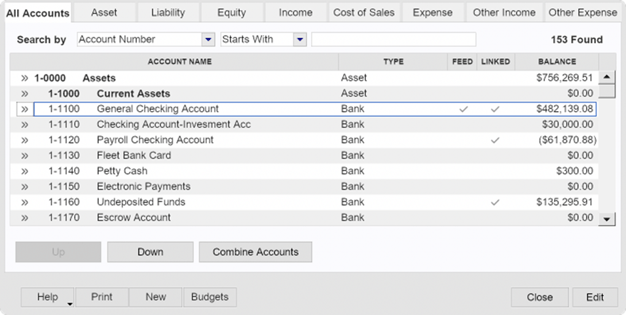
- Customize the chart of accounts or choose from industry templates.
-
- Record opening balances, journal entries, and unique transaction numbering.
- Set recurring transactions with reminders or automated posting.
- Manage budgets by period, department, or job.
-
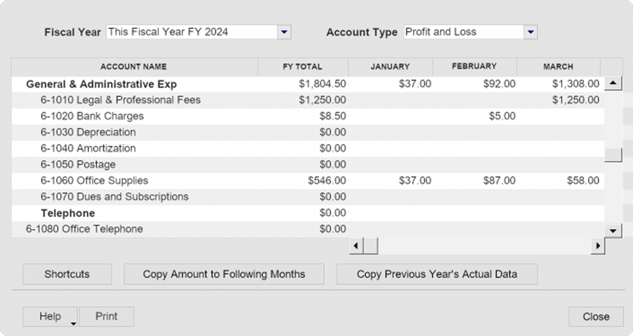
- Track projects with multi‑level job structures and budgets.
- Handle foreign currency transactions and currency gains/losses.
- Manage retainers, escrows, and trust accounts.
- Create credit memos and apply them to future invoices.
- Generate customizable financial reports, including balance sheets, profit & loss, budget reports, and departmental insights.
- Lock accounting periods to prevent unintended changes.
Names & CRM
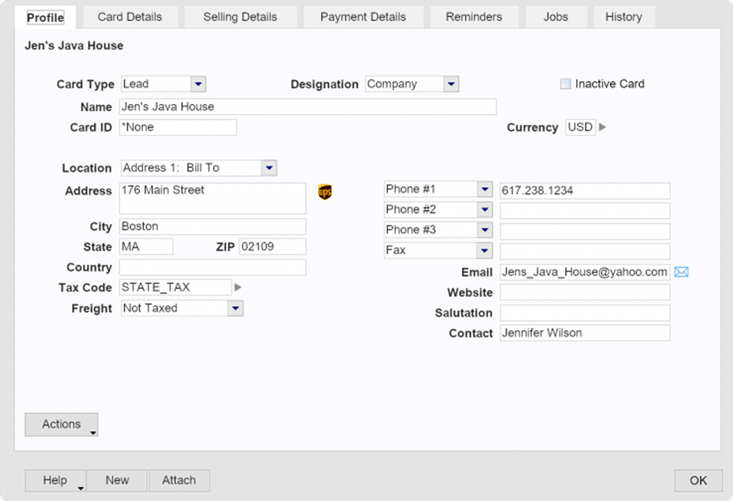
AccountEdge consolidates all contacts—including leads, customers, vendors, and employees—into one unified list. Its built‑in CRM allows you to:
- Track detailed customer information, pricing, terms, and payment methods.
- Manage leads separately from customers and automatically convert them once an order is placed.
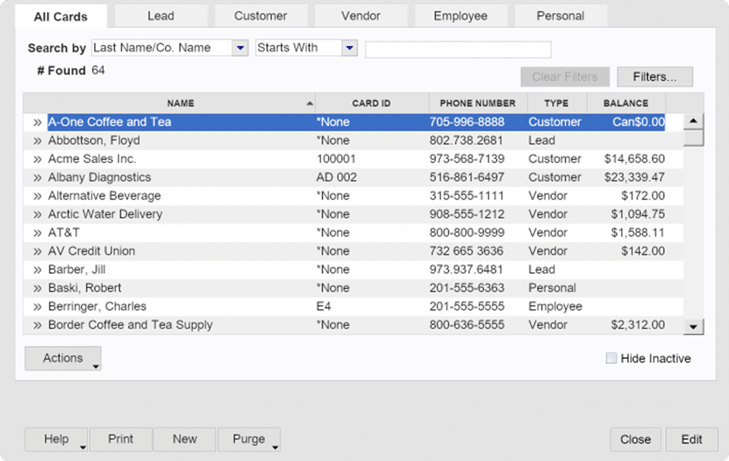
- Monitor the full lead‑to‑sale lifecycle.
- Offer customers a secure online portal (via AccountEdge Connect) to view transactions, pay invoices, and track order progress.
Banking
AccountEdge provides flexible management of money in and out:
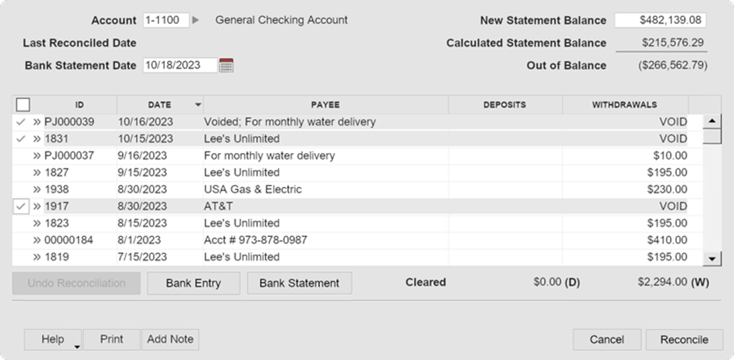
- Reconcile accounts easily using bank feeds or imported statements.
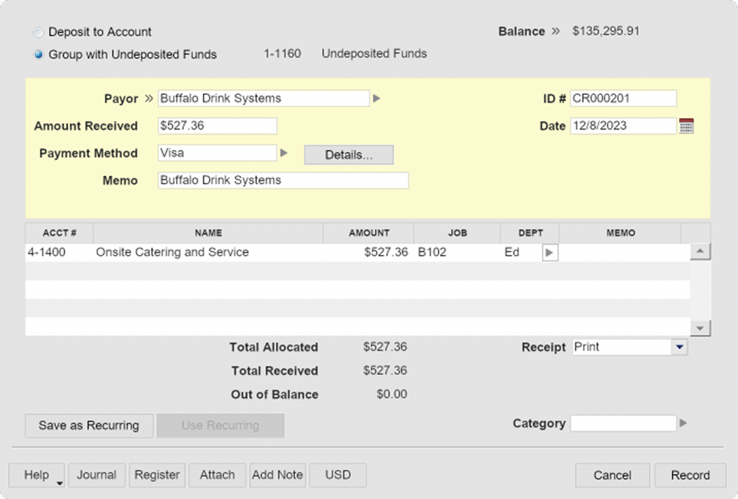
- Record payments, receipts, deposits, adjustments, and transfers (one‑time or recurring).
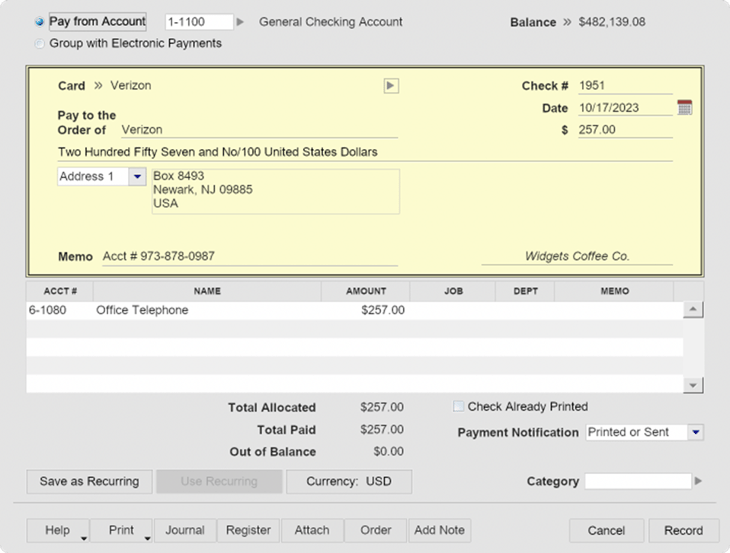
- Print checks using standard or customized formats.
- Use Plaid‑powered bank feeds for $5 per month.
- Access a full suite of banking‑related reports.
Expenses and Accounts Payable
AccountEdge streamlines expense and purchase management, helping you control inventory and overhead costs. Costs can be assigned to jobs for accurate job‑costing comparisons, and you can track job‑related time, expenses, and mileage to ensure all billable costs are captured.
-
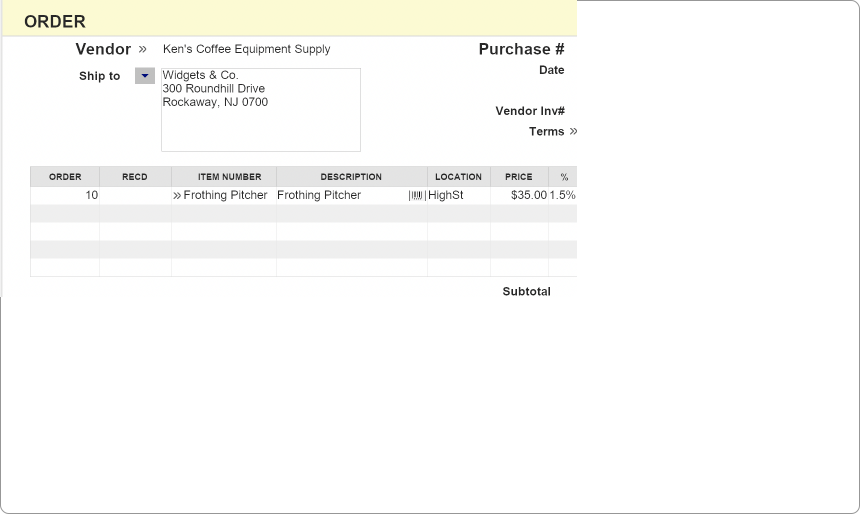
Purchase Orders - You can create and track purchase orders, receive goods against those orders, and ensure accuracy in what you pay for.
-
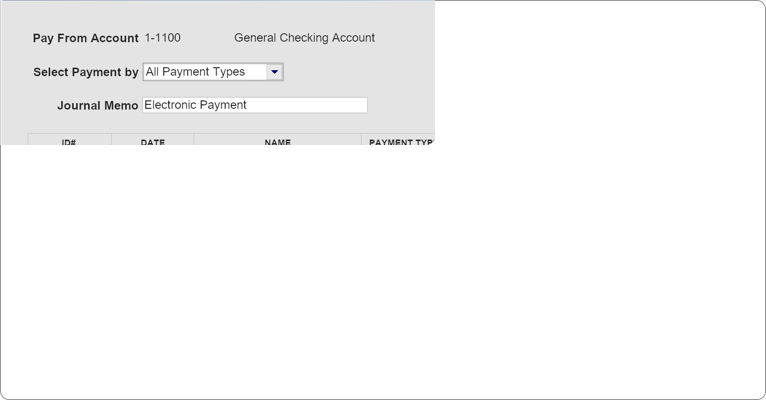
Payment Methods - When it’s time to pay vendors, AccountEdge supports printed checks and ACH electronic payments. It also simplifies reporting for vendor, contractor, and non‑payroll payments using the appropriate tax forms.
-
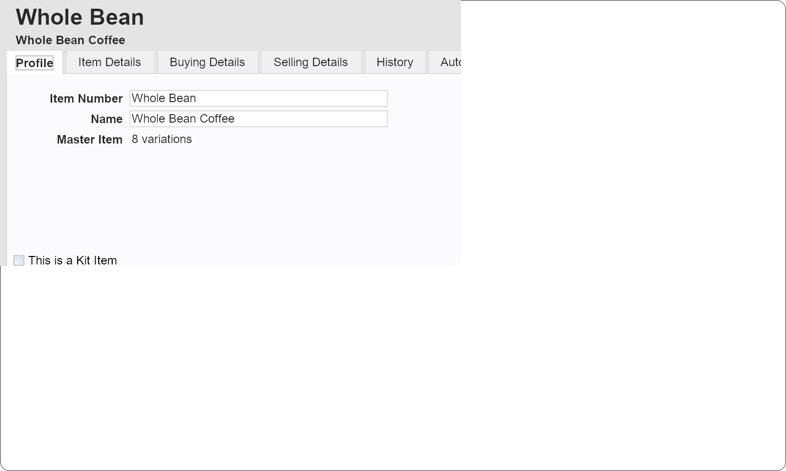
Inventory - Inventory represents a business asset until sold, at which point it is recorded as cost of goods sold. AccountEdge manages inventory purchasing and sales, and supports detailed item definitions, price variations, discounts, item variations, and serialized tracking. Additional inventory tools include item builds and kitting, units of measure, multiple locations, receiving and put‑away, stock counts, and inventory adjustments.
Invoicing and Accounts Receivable
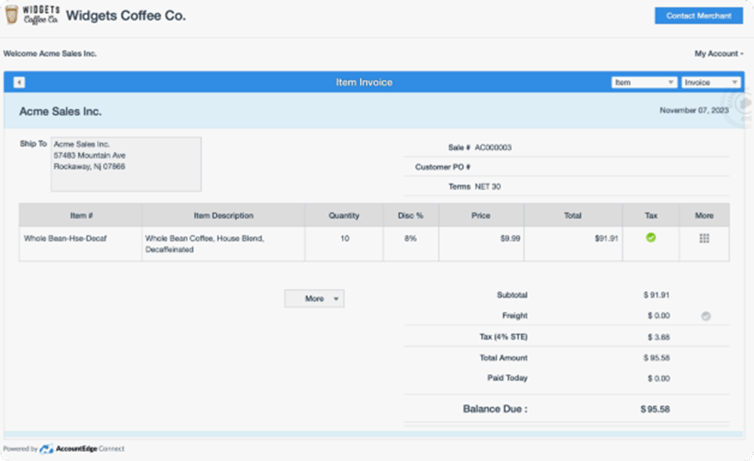
AccountEdge supports comprehensive invoicing for products, services, and time‑based work. You can track billable expenses and costs tied to jobs, projects, and activities. Effective invoicing is essential for maintaining positive cash flow, and AccountEdge provides the tools needed to invoice accurately and efficiently.
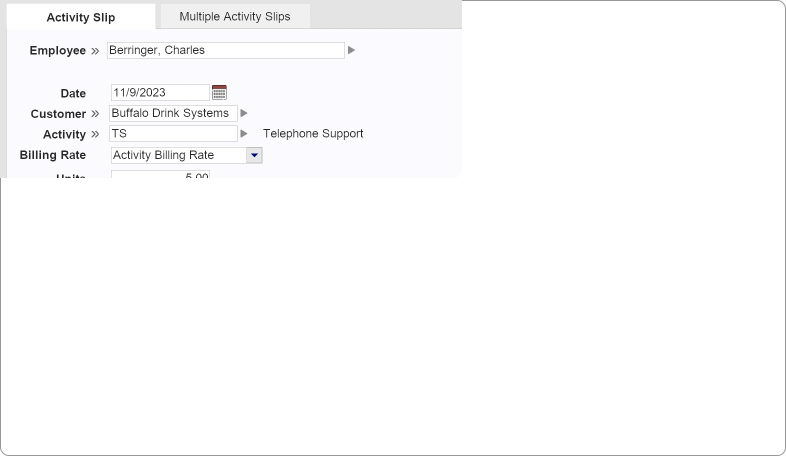
- Time Tracking - Users can record billable and non‑billable time, generate timeslips, and convert them into customer invoices. Time can be tracked by job, project, task, or activity.
- Quotes and Estimates - AccountEdge allows you to create detailed quotes and estimates for customer projects or item sales and convert them into sales and invoices when approved.
- Sales Orders - Whether you sell products fulfilled after order placement or provide services delivered over time, AccountEdge supports a full range of sales order workflows, including cost‑plus and percentage‑of‑completion billing.
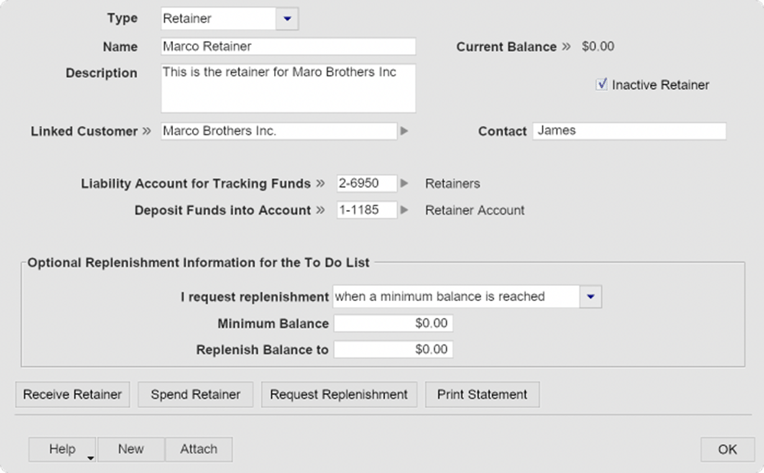
- Retainers - It also handles customer deposits, retainers, escrow accounts, and trust‑fund management. Commission structures can be configured for personnel on commission‑based compensation.
- Invoicing and Payment Processing - Customers can make full or partial credit‑card payments through the AccountEdge Connect customer portal using Web Pay. Square Payments can also be imported directly.
Payroll
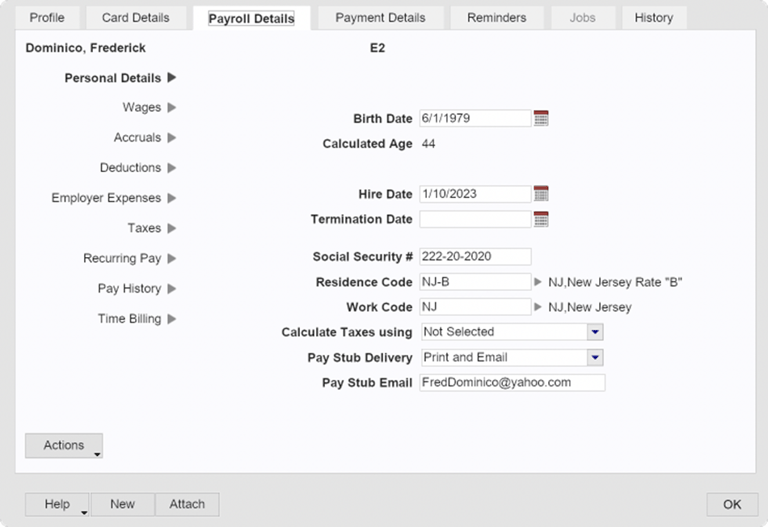
AccountEdge offers two payroll options:
- Do‑It‑Yourself Payroll - Process payroll for unlimited employees with no per‑employee fees. Track time, run payroll, and print checks directly within AccountEdge. Optional add‑ons are available for tax forms and direct deposit.
- Full‑Service Payroll - Outsource payroll processing and tax payments through SurePayroll (a Paychex company) while keeping your AccountEdge file synchronized.
Data Deployment Options
AccountEdge supports up to ten company files across all pricing plans. Deployment options include:
- Local single‑user installation (Windows or Mac)
- Networked installation with multiple workstation licenses
- Local installation with AccountEdge Connect, enabling remote browser‑based entry that syncs with your local file
- Fully hosted environment, accessed through a web browser
Each option varies in pricing and may require add‑ons. Buyers should review all costs carefully before selecting a plan.
May be a better value than QBD or QBO
With QuickBooks (Desktop and Online) subscription prices rising as significantly as they have over the past few years, many businesses looking to switch from either may find that they can save several hundred dollars per year depending on their data deployment options and add-on requirements. But as I just mentioned, you need to be aware that some features described within this product summary may require additional add‑on purchases that impact your bottom-line pricing.
Conclusion
AccountEdge offers comprehensive accounting features including general ledger, banking, accounts payable/receivable, payroll, financial reporting and integration options (although not all features may be included in a core plan and may require add-on subscriptions).
Unlike many other accounting software applications at this price point, the inventory features it provides can make this an alternative for businesses wanting to stick to a ‘self-server networked software’ for their inventory centric requirements related to retail, eCommerce, wholesale/distribution and manufacturing.
The AccountEdge Connect and fully hosted options may appeal to such businesses needing remote access while still maintaining fundamental control of their data
Whether you are in the United States, or in Canada, if you are a business who has been using a 'desktop' (or local server) based accounting package that is now looking for non-cloud-software-as-a-service accounting options, you may find AccountEdge the right alternative for your small-to-medium-sized businesses seeking to manage their own financial and inventory data..
For More Information
Head over to the AccountEdge website for additional information, or to sign-up for a 30-Day Free Trial. You can review their pricing and add-on feature costs at these webpages. Be sure to select the proper country version when securing a trial subscription. Additionally, several other questions required to download your trial copy are designed to ensure you get the proper product (single-user, multi-user network, ‘connect add-on’, etc.
If you do work through a trial, let us know what you think by posting your comments below.
-------------
Disclosures:
Content herein (including graphic images throughout) is based on, or adapted from, information researched from the developer's website and supporting product information during a period of product. Insightful Accountant is not responsible for the accuracy of content adapted from the developer's source materials.
AccountEdge and various SKUs of same may represent one or more registered trademarks of Acclivity, LLC, which was acquired by Priority Software in 2018. Priority Software has headquarters in Israel, with US offices in Montclair, NJ (the original home of AccountEdge) and can be reached domestically at 1-973-586-2200.
QuickBooks, QuickBooks Desktop, and QuickBooks Online (including their abbreviations) are registered trademarks of Intuit, a publicly traded corporation headquartered in Mountain View, California. These products are included and reference here for informational and educational purposes only.
Any other trade names or references used herein may refer to registered, trademarked, or copyrighted materials held by their respective owners; they are included in the content for informational and educational purposes only.
Insightful Accountant provides App Aware features as a courtesy to developers and an information resource to our readers. All information provided is for educational and informational purposes only. This is an editorial feature, not sponsored content. No vendor associated with this article has paid Insightful Accountant or the author any form of remuneration to be included within this feature. The article is provided solely for informational and educational purposes.
Note: Registered Trademark ® and other registration symbols (such as those used for copyrighted materials) have been eliminated from the articles within this publication for brevity due to the frequency or abundance with which they would otherwise appear or be repeated. Every attempt is made to credit such trademarks or copyrights within our respective article footnotes and disclosures.